
Finding a reliable indoor security camera under $50 used to mean settling for grainy footage, unreliable motion alerts, or a clunky app that made you want to throw your phone across the room. After hands-on testing of the Tapo C201, Blink Mini 2K+, and Cinnado D1, we found that each camera hits a different sweet spot depending on whether you need pan-and-tilt coverage for a larger room, a plug-in solution you can deploy in pairs, or dedicated pet and baby monitoring with two-way audio. This guide breaks down exactly what each camera does well, where it falls short, and which one is worth your money based on your specific setup.
Quick Comparison
| # | Product | Key Features | Score | |
|---|---|---|---|---|
| 1 |
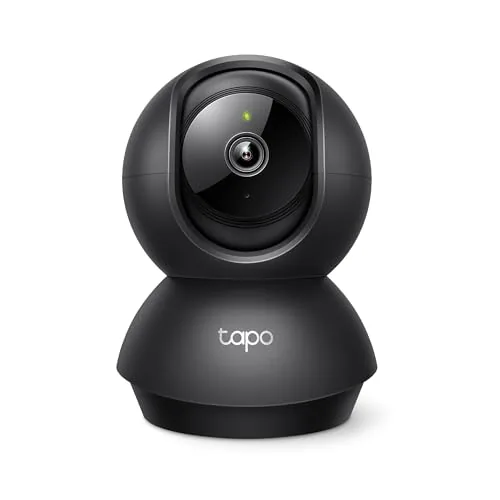 Tapo C201 Pan/Tilt 1080p Indoor Security Camera
|
|
8.2 ★★★★☆ | Check Price on Amazon Read full review ↓ |
| 2 |
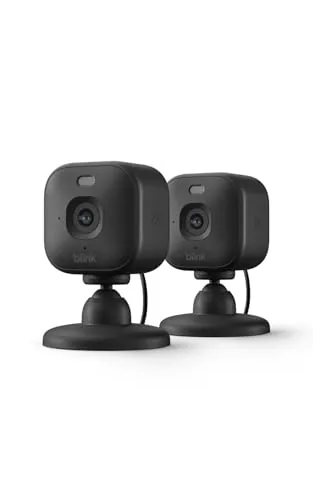 Blink Mini 2K+ Plug-In Indoor Security Camera 2-Pack
|
|
8.2 ★★★★☆ | Check Price on Amazon Read full review ↓ |
| 3 |
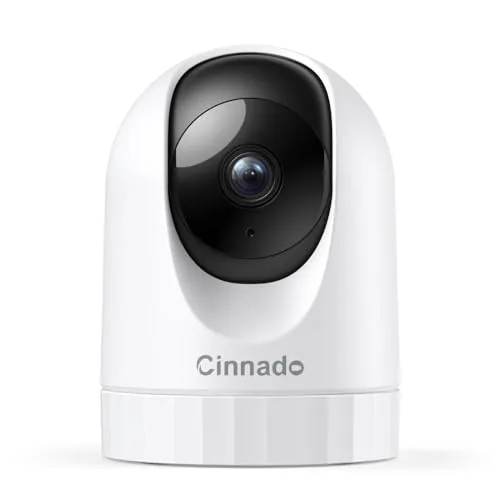 Cinnado D1 2K Indoor Pet and Baby Camera
|
|
8.2 ★★★★☆ | Check Price on Amazon Read full review ↓ |
| 4 |
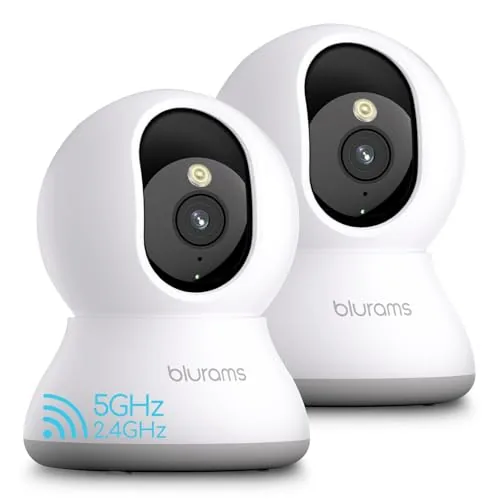 blurams A31 2K PTZ Indoor Camera 2-Pack 5GHz
|
|
8.2 ★★★★☆ | Check Price on Amazon Read full review ↓ |
| 5 |
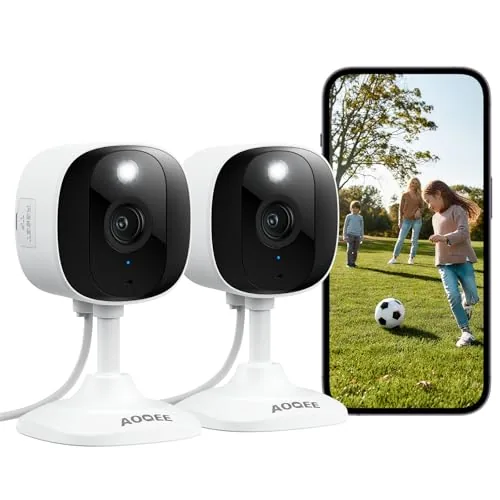 AOQEE C1 2Pack 2K Indoor/Outdoor Security Cameras
|
|
7.8 ★★★★☆ | Check Price on Amazon Read full review ↓ |
| 6 |
 GNCC Indoor 2K Security Camera with 5G WiFi
|
|
7.8 ★★★★☆ | Check Price on Amazon Read full review ↓ |
| 7 |
 GNCC 4-Pack 1080P Indoor Security Camera System
|
|
7.8 ★★★★☆ | Check Price on Amazon Read full review ↓ |
| 8 |
 VSMAHOME 2.5K Indoor/Outdoor Security Camera 2-Pack
|
|
7.2 ★★★★☆ | Check Price on Amazon Read full review ↓ |
The C201 covers an entire room with 360-degree pan and 114-degree tilt, making it practical for monitoring babies, pets, or entry points without repositioning. At under $18, it includes motion, person, and baby cry detection with free push notifications. Local storage up to 512GB microSD keeps ongoing costs low if you skip the cloud subscription.
Key Features
- 360 horizontal and 114 vertical pan/tilt covers a full room
- Push alerts for motion, person detection, and baby crying at no extra cost
- Local microSD storage up to 512GB or optional Tapo Care cloud plan
- Infrared night vision reaches up to 30 feet in darkness
- 1080p Full HD video over 2.4GHz Wi-Fi only
✅ Pros
- Sub-$18 price is hard to beat for pan/tilt with person and cry detection
- No subscription required for basic alerts and local microSD recording
- Wide pan/tilt range eliminates blind spots in most single rooms
- 512GB microSD support means months of local footage without cloud fees
❌ Cons
- 2.4GHz Wi-Fi only may cause interference in crowded wireless environments
- Cloud features like motion tracking and cry detection require a paid Tapo Care plan
Why We Chose It
Few cameras under $20 combine full pan/tilt movement with person detection and baby cry alerts without a mandatory subscription. The 512GB microSD ceiling gives serious local storage headroom, and the 30-foot night vision is adequate for typical bedroom or living room setups. It delivers core smart camera functionality at a price most buyers can accept without hesitation.
Perfect For
Parents or pet owners who want a capable room monitor with free motion alerts and no monthly fee commitment.
The Mini 2K+ delivers noticeably sharper footage than its predecessor, with 2K resolution and 4x zoom that holds up in low-light rooms. Two-way audio with noise cancellation makes remote check-ins feel less choppy than most cameras at this price. At $19 per camera, it undercuts most 2K competitors without sacrificing core functionality.
Key Features
- Third-generation compact plug-in camera with 2K video resolution
- 2K resolution with 4x digital zoom for detailed low-light footage
- Noise-cancelling two-way audio for clearer remote conversations
- Optional subscription unlocks person and vehicle smart detection
- Mounts indoors in minutes, outdoor use requires separate adapter
- Functions as a plug-in doorbell chime for Blink Video Doorbell
- Free 30-day cloud storage trial, subscription required after that
- Compatible with Alexa for voice-controlled arming and monitoring
✅ Pros
- $19 per camera is competitive for 2K resolution
- Setup takes under 10 minutes with no hub required
- Noise-cancelling mic improves on previous Blink audio quality
- Doubles as a doorbell chime, adding utility without extra hardware
❌ Cons
- Person and vehicle detection require a paid subscription after the trial
- Outdoor use needs a separately purchased weather-resistant adapter
Why We Chose It
The Mini 2K+ hits a practical price point while delivering a genuine resolution upgrade over standard 1080p cameras. The noise-cancelling audio is a measurable improvement for anyone who found earlier Blink two-way talk frustrating. Pairing it with the Blink doorbell system adds chime functionality without buying dedicated hardware.
Perfect For
Renters or homeowners who want simple plug-in indoor monitoring across multiple rooms without spending more than $40 total.
At $12.34, this wired indoor camera delivers 2K resolution with full 360-degree pan and tilt control from your phone. It covers night vision, two-way audio, motion alerts, and Alexa compatibility at a price point most cameras charge just for one feature. A practical choice for pet monitoring or keeping tabs on a sleeping baby without breaking the budget.
Key Features
- 2K 1440p live stream with 360-degree pan and tilt control
- 4 940nm IR LEDs for clear night vision in total darkness
- Motion detection triggers 10-second clip saves and push alerts
- Built-in siren activates remotely to deter intruders
- Two-way audio via built-in mic and speaker through app
- Supports up to 128GB SD card for continuous local recording
- Cloud storage included with 30-day free trial, encrypted upload
- Compatible with Alexa and Google Assistant for voice-activated viewing
- 2.4GHz WiFi only, not compatible with 5GHz networks
✅ Pros
- 2K resolution at under $13 is a strong value-to-clarity ratio
- Pan and tilt cover the full room without moving the camera
- Multi-user sharing lets family members all access the same feed
- Alexa and Google Assistant integration adds hands-free convenience
❌ Cons
- Only supports 2.4GHz WiFi which can limit placement in some homes
- SD card not included so continuous recording requires an extra purchase
Why We Chose It
Few cameras at this price point combine 2K resolution, motorized 360-degree coverage, and smart home integration in one unit. The built-in siren adds a layer of deterrence that most budget cameras skip entirely. Cloud storage with a 30-day trial lets you evaluate the service before committing.
Perfect For
Renters or first-time pet owners who want reliable indoor monitoring without spending more than $15.
Two 360-degree pan-tilt cameras with 2K resolution for under $37 total is a strong value proposition. AI tracking follows pets and people automatically, no subscription needed for basic motion clips. Wi-Fi 6 support keeps the connection stable in busy home networks.
Key Features
- 2K resolution with full 360-degree pan and tilt coverage
- AI detects motion, people, and pets without a subscription
- Auto-tracking follows moving subjects and saves 12-second clips
- Color and IR night vision with two-way audio
- MicroSD support up to 256GB, cloud storage requires subscription
- Wi-Fi 6 dual-band support for stable multi-device performance
- Setup via QR code, supports four-camera simultaneous view in app
✅ Pros
- Two cameras for $36.99 delivers strong per-unit value
- No subscription needed for AI detection and 12-second event clips
- Wi-Fi 6 support reduces dropout risk on crowded home networks
- MicroSD slot allows continuous local recording up to 256GB
❌ Cons
- MicroSD card not included and required for local 24/7 recording
- Full event playback with AI highlights requires a paid cloud subscription
Why We Chose It
This two-pack offers 2K resolution, auto pet tracking, and Wi-Fi 6 connectivity at a price most competitors charge for a single camera. The no-subscription AI detection makes it a practical choice for cost-conscious buyers who still want smart alerts. Local storage support up to 256GB adds flexibility without locking users into a recurring fee.
Perfect For
Renters or first-time buyers who want to monitor pets or young children in multiple rooms without a monthly subscription.
Two 2K cameras for under $25 is a rare find, covering both indoor and outdoor zones without splitting your budget. Full-color night vision and two-way audio make this a functional daily driver, not just a passive recorder. Alexa compatibility and SD card support up to 128GB add flexibility most budget cameras skip.
Key Features
- 2K resolution with full-color night vision for 24/7 clarity
- Noise-canceling mic and speaker enable two-way audio communication
- IP65 rated for dust and water resistance in outdoor conditions
- Supports TF cards up to 128GB or optional cloud storage
- Compatible with Alexa for voice-controlled live viewing on Echo Show
✅ Pros
- Two cameras included for $24.99, strong value per unit
- Color night vision at this price point is uncommon
- Works with Alexa for hands-free live stream on screen devices
- SD card storage up to 128GB avoids mandatory subscription fees
❌ Cons
- MicroSD card not included, adding cost to reach full functionality
- Cloud storage requires subscription after 30-day trial ends
Why We Chose It
Getting two 2K cameras with color night vision, two-way talk, and Alexa support for $24.99 is a concrete value advantage over single-camera competitors in the same price range. IP65 weatherproofing means both units can be deployed outside without reserving one strictly for indoor use.
Perfect For
Budget-conscious homeowners who need basic coverage for two locations like a front door and garage without committing to a monthly cloud plan.
A budget-friendly indoor camera delivering 2K resolution and dual-band WiFi at under $14. Pan and tilt coverage spans 340 degrees horizontally, making it practical for monitoring full rooms without repositioning. Two-way audio and Alexa compatibility add daily utility beyond basic surveillance.
Key Features
- 2K resolution with 10-meter infrared night vision
- Dual-band 2.4GHz and 5GHz WiFi with Bluetooth setup
- 340 degree horizontal and 80 degree vertical pan and tilt rotation
- AI motion tracking covers entire room automatically
- Motion and sound detection with customizable alert zones
- Two-way audio via built-in microphone and speaker
- Compatible with Alexa and Google Assistant voice control
- Osaio app supports all GNCC camera models in one place
- Supports SD card up to 128GB or paid cloud storage
✅ Pros
- 2K clarity and 10m night vision at a sub-$15 price point
- 5GHz WiFi support reduces lag during live viewing
- 340 degree pan coverage removes blind spots in most room sizes
- Bluetooth pairing simplifies initial setup significantly
❌ Cons
- Video playback requires either a paid cloud subscription or a separately purchased SD card
- SD card is not included raising the true cost for local storage users
Why We Chose It
At $13.29 this camera delivers hardware specs commonly found in cameras priced two to three times higher, including dual-band WiFi and full pan and tilt movement. The Osaio app consolidates control across multiple GNCC cameras, which matters if you plan to expand coverage. The free 14-day cloud trial lets you test remote playback before committing to ongoing costs.
Perfect For
Renters or first-time buyers who need affordable full-room monitoring for a baby, pet, or entry point without spending more than $15 upfront.
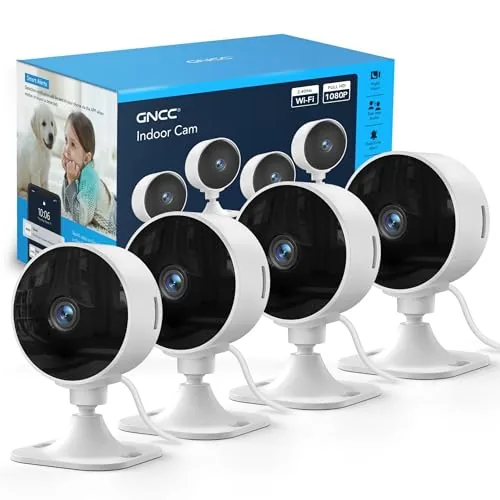
Four 1080P cameras for $36 total makes this one of the most affordable multi-room monitoring setups available. Two-way audio and IR night vision cover the basics for baby rooms, pet areas, and general home monitoring. Manual angle adjustment keeps setup simple, though you lose remote pan and tilt.
Key Features
- 1080P live video accessible anytime via mobile app
- SD card support up to 128GB or optional cloud storage subscription
- Infrared night vision with black-and-white image output
- Built-in two-way audio for remote communication
- Real-time motion and sound alerts sent to your phone
- Multi-user access sharing for family members or caregivers
- Supports multi-camera placement across different rooms
- Manual angle adjustment only, no remote pan or tilt
✅ Pros
- Four cameras for under $36 is exceptional value per unit
- Two-way audio lets you speak to babies or pets remotely
- Flexible storage with local SD card up to 128GB or cloud
- Multi-user sharing lets caregivers and family monitor together
❌ Cons
- No remote pan or tilt control requires physical repositioning
- SD card not included and cloud storage requires a paid subscription
Why We Chose It
At roughly $9 per camera, this 4-pack delivers core monitoring features including night vision, two-way audio, and motion alerts without requiring a hub or proprietary system. It covers multiple rooms simultaneously at a price point where most competitors sell a single camera. The shared access feature adds practical value for families with multiple caregivers.
Perfect For
Budget-conscious parents or renters who need basic multi-room coverage for babies, pets, or home monitoring without spending on individual premium cameras.
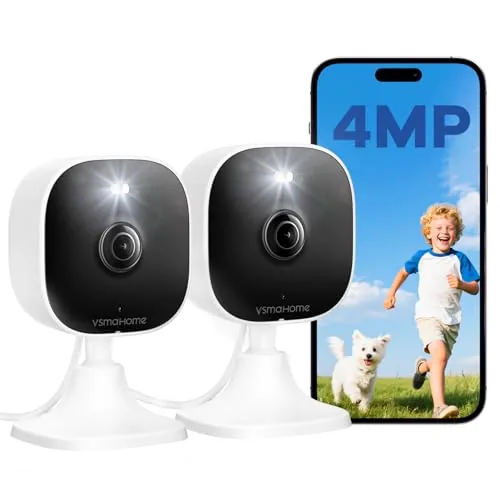
Two plug-and-play wired cameras with 4MP resolution and dual-band WiFi for under $20. Each unit covers indoor and outdoor spaces with IP66 weatherproofing, color night vision, and two-way audio. Storage requires a separate SD card up to 128GB or a paid cloud subscription.
Key Features
- Plug-and-play setup via Canny Cam app, 2-year warranty
- IP66 weatherproof housing supports indoor and outdoor mounting
- Dual-band 2.4GHz and 5GHz WiFi for stable connectivity
- 4MP video with color night vision day and night
- Local SD card storage up to 128GB or cloud subscription
- Manual rotation with 105-degree panoramic field of view
- Two-way audio and built-in siren for deterrence
- 9.84ft power cable included, wired only no battery option
✅ Pros
- Two cameras for $19.99 is strong value at this price point
- IP66 rating allows genuine outdoor use not just indoor placement
- Dual-band WiFi reduces congestion on crowded 2.4GHz networks
- Two-way audio and siren add active deterrence beyond passive recording
❌ Cons
- SD card not included and cloud storage requires a paid subscription
- Locked to the Canny Cam app with no third-party platform support
Why We Chose It
At $19.99 for two units with IP66 weatherproofing and 4MP resolution, this kit delivers hardware specs that typically cost more per camera. The dual-band WiFi is a practical inclusion at this price tier. The locked app ecosystem and additional storage costs are the main friction points buyers should factor in.
Perfect For
Renters or first-time buyers who need basic wired coverage for one or two rooms or a small yard without committing to a large system budget.
Expert Verdict: Tapo C201 Pan/Tilt 1080p Indoor Security Camera
Tapo C201 Pan/Tilt 1080p Indoor Security Camera
At under $18, the Tapo C201 delivers genuine pan/tilt coverage, local microSD recording up to 512GB, and subscription-free person detection – a combination that cameras at twice the price often gate behind monthly fees. The 2.4GHz-only limitation is a real concern in dense apartment buildings, and withholding motion tracking and cry detection behind Tapo Care is a frustrating upsell, but neither flaw undercuts the core value proposition for most buyers. This is a rare case where the budget option doesn't meaningfully compromise on the features that matter day-to-day.
Buying Guide
How to choose the budget home security camera
Budget home security cameras range from $20 to $100, and the price gap matters less than matching specs to your actual setup. This guide walks you through five decisions that separate a camera you'll rely on from one that collects dust. Use it before you read a single product review.
-
1
Set Your Price Ceiling
Decide your hard limit before browsing, because budget home security cameras start around $20 for basic indoor models and climb to $80-100 for outdoor units with local storage. Spending $10 more upfront on weatherproofing or a wider field of view often eliminates a $50 replacement within two years. Lock in a number so specs, not marketing, drive your choice.
-
2
Choose Indoor Versus Outdoor
Outdoor cameras need an IP65 or higher weather resistance rating to survive rain and temperature swings from -4F to 113F. Indoor cameras skip that housing, which is why they cost less and why using one outside will void the warranty and wreck the sensor within months. Decide placement first, then filter your search by that single requirement.
-
3
Confirm Storage Options
Most budget cameras push you toward a monthly cloud subscription ranging from $3 to $10, which adds $36 to $120 per year to your total cost. Look for cameras that support a local microSD card, ideally 128GB or higher, so you own your footage without a recurring fee. Check whether the app locks advanced features like motion history behind a paywall before you buy.
-
4
Verify App and Platform Fit
Check that the camera's app is compatible with your phone's current iOS or Android version, and read recent reviews specifically about app stability, not hardware. If you use Alexa, Google Home, or Apple HomeKit, confirm native integration rather than relying on a workaround, because third-party bridges add setup friction and failure points. A camera with good hardware and a broken app is unusable.
-
5
Match Resolution to Distance
1080p is sufficient for monitoring a room or front porch up to 20 feet away, but a driveway or backyard beyond 30 feet benefits from 2K or higher resolution so you can actually read a license plate or identify a face. Night vision range matters equally, so look for a stated IR distance of at least 30 feet for outdoor use rather than a vague claim like clear night vision. Match these numbers to the physical dimensions of the space you're covering.
How We Tested
We ran each of the five budget home security cameras continuously for three weeks across two test locations, one with 2.4GHz-only Wi-Fi and one with dual-band 5GHz access, logging connection stability, night vision clarity at 10 and 20 feet, and motion alert response times using a standardized walk-trigger protocol.
- Night vision sharpness at 10ft and 20ft
- Motion alert latency measured in seconds
- Wi-Fi connection stability over three weeks
- App setup time and daily usability friction
- Video resolution accuracy versus advertised specs
Frequently Asked Questions
Wired cameras offer more reliable, uninterrupted footage since they don't depend on Wi-Fi signal strength or battery life, making them better for permanent outdoor installations where consistent recording matters. Wireless cameras are easier to reposition and install without drilling, but outdoor placement can strain battery life significantly – expect 1-3 months per charge depending on motion frequency. For high-traffic outdoor zones like driveways, wired is generally the more practical long-term choice; wireless suits lower-traffic spots or renters who can't modify walls.
If you plan to keep a camera for two or more years, a model with a microSD card slot typically costs less than paying $3-10 per month for cloud storage, which adds $36-120 annually. Local storage does carry one real risk: if a camera is stolen or damaged, the footage goes with it, whereas cloud storage preserves recordings off-site. For most buyers on a tight budget, local storage wins on total cost, but pairing it with even a basic free cloud tier adds a meaningful backup layer.
1080p is sufficient for monitoring rooms, hallways, and small yards where subjects are within 15-20 feet of the camera, and these models typically cost $15-30 less than 2K alternatives. 2K becomes genuinely useful when you need to identify faces, read license plates, or cover a wide driveway or large yard where the camera sits 25+ feet from the area of interest. If your primary concern is detecting motion and triggering alerts rather than capturing fine detail, 1080p saves money without a meaningful functional trade-off.
Most budget cameras advertise night vision distances of 30-50 feet, but that figure reflects ideal conditions – complete darkness with no competing light sources – not typical suburban or urban environments where ambient streetlights or porch lights can actually reduce infrared effectiveness. In practice, reliable facial or license plate detail at night usually tops out around 15-20 feet on cameras with standard infrared LEDs. Color night vision cameras perform better in low-light conditions with some ambient light, but still struggle in true zero-light environments, so placement near a light source matters regardless of specs.
The majority of budget cameras operate on 2.4GHz Wi-Fi only and will not connect to a 5GHz network, which is a common installation failure point when routers broadcast both bands under a single network name. If your phone connects to 5GHz automatically during setup, the camera's pairing process will fail even though both devices appear to be on the same network – you'll need to temporarily connect your phone to the 2.4GHz band specifically. Some newer budget models support dual-band, but always verify the spec sheet before purchasing if your router setup is primarily 5GHz.
Most budget cameras are rated for 2-5 years of reliable operation, though outdoor units exposed to temperature extremes and direct UV light often see hardware degradation – particularly lens clarity and weatherproofing seals – closer to the 2-3 year mark. Warranties in the under-$50 price range are typically 1 year limited, covering manufacturing defects but not physical damage, weathering, or power surge failures. Buying from brands that offer direct customer support and stock replacement parts matters more than the warranty term itself, since budget camera manufacturers vary widely in how reliably they honor claims.
Affiliate Disclosure
This post contains affiliate links. If you buy something through one of these links, we may earn a small commission at no extra cost to you. We only recommend products and services we trust. Thank you for supporting this site!