
Most video doorbells quietly lock your footage behind a monthly subscription, meaning the moment you cancel, your recordings disappear. If you want full control over who sees your footage and what happens to it, video doorbells with local storage are worth a serious look – and three models stand out right now: the Tapo D205 2K Wireless with its 160° field of view, the Reolink Video Doorbell PoE 2K Wired with Chime V2, and the aosu 5MP Wireless Wired Video Doorbell. This review breaks down exactly how each one handles storage, image quality, and daily reliability so you can choose the right fit without guessing.
Quick Comparison
| # | Product | Key Features | Score | |
|---|---|---|---|---|
| 1 |
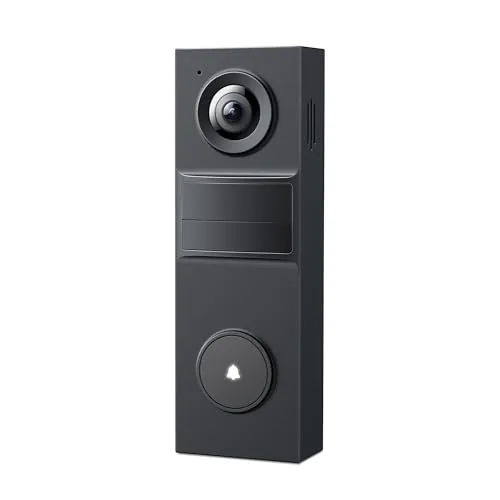 Tapo D205 2K Wireless Video Doorbell 160° FOV
|
|
8.5 ★★★★☆ | Check Price on Amazon Read full review ↓ |
| 2 |
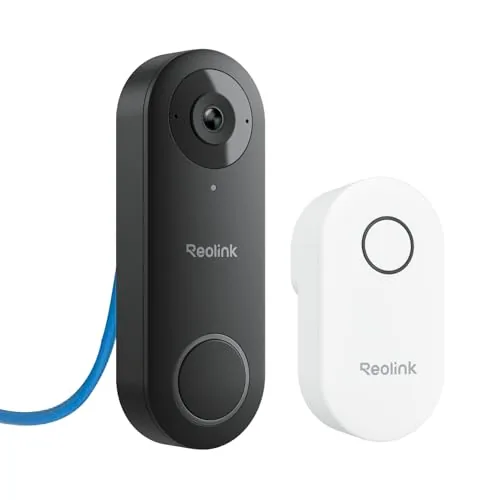 Reolink Video Doorbell PoE 2K Wired with Chime V2
|
|
8.4 ★★★★☆ | Check Price on Amazon Read full review ↓ |
| 3 |
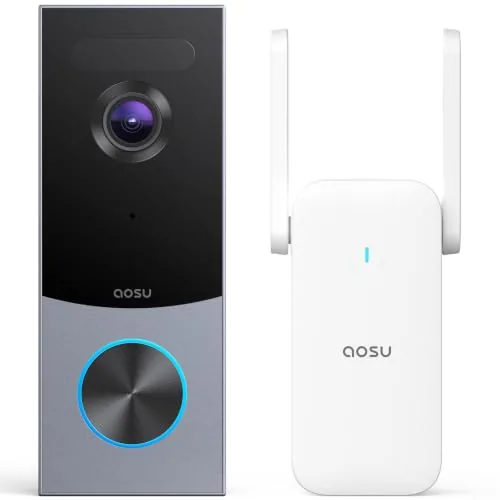 aosu 5MP Wireless Wired Video Doorbell No Subscription
|
|
8.2 ★★★★☆ | Check Price on Amazon Read full review ↓ |
| 4 |
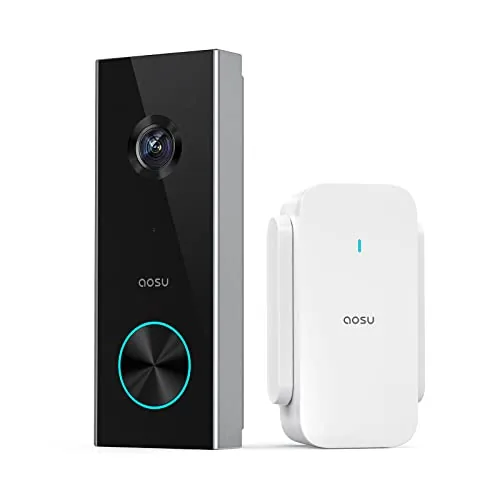 aosu 2K Wireless Doorbell Camera with aosuBase Repeater
|
|
8.2 ★★★★☆ | Check Price on Amazon Read full review ↓ |
| 5 |
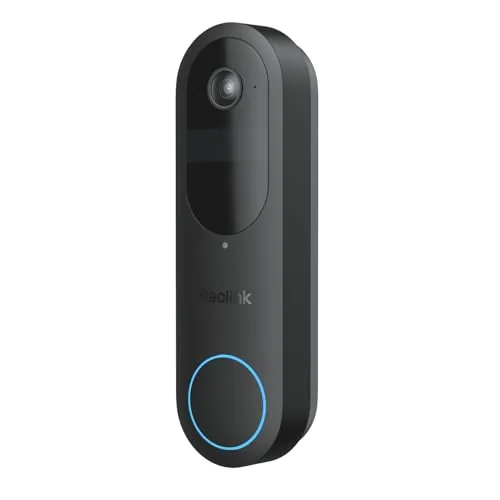 REOLINK Battery Doorbell 2nd Gen 2K Wireless Wired
|
|
8.2 ★★★★☆ | Check Price on Amazon Read full review ↓ |
| 6 |
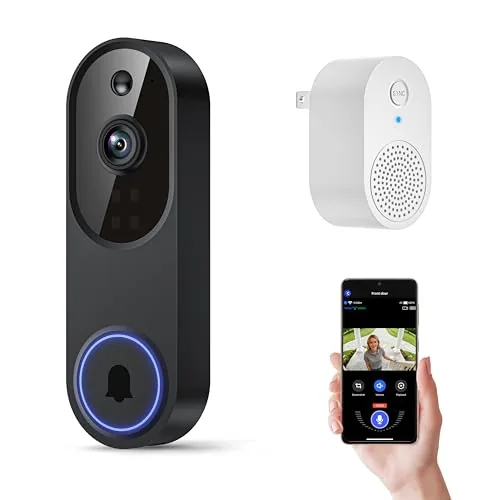 Orbitell 1080p Wi-Fi Video Doorbell with AI Detection
|
|
7.8 ★★★★☆ | Check Price on Amazon Read full review ↓ |
| 7 |
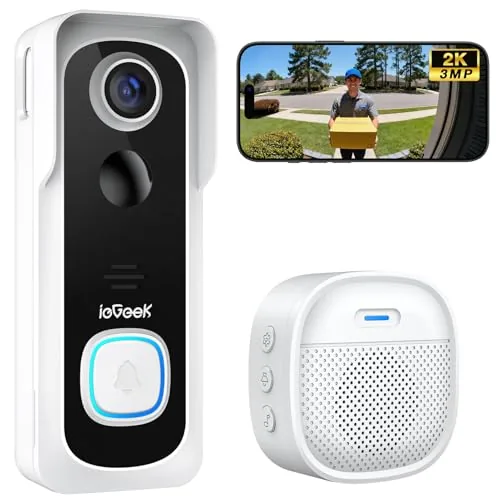 ieGeek Bell J9 Wireless Doorbell 2K No Subscription
|
|
7.8 ★★★★☆ | Check Price on Amazon Read full review ↓ |
| 8 |
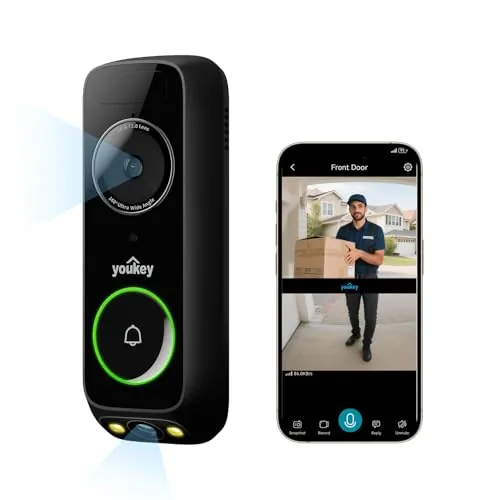 youkey Dual-Camera Wireless Doorbell No Subscription
|
|
7.8 ★★★★☆ | Check Price on Amazon Read full review ↓ |
| 9 |
 Tuflorexa 1080p Wi-Fi Doorbell with AI Human Detection
|
|
7.5 ★★★★☆ | Check Price on Amazon Read full review ↓ |
The D205 delivers 2K resolution and a 160-degree field of view at a price that undercuts most competitors by half. A 5,200mAh battery promises up to 180 days between charges, and AI person detection runs without a subscription. Two-way audio, activity zones, and IR night vision round out a feature set that rivals doorbells costing twice as much.
Key Features
- 2K resolution captures sharp detail at entry points
- 160-degree FOV covers broad areas without blind spots
- AI person detection sends alerts with no monthly fee
- 5,200mAh battery supports up to 180 days of use
- Phone-call style notification when visitor presses doorbell
- IR night vision provides 24/7 coverage in darkness
- Two-way audio plus prerecorded quick-reply option
- Custom activity zones filter alerts to specific areas
- IP54 rating resists rain, dust, and seasonal weather
✅ Pros
- No subscription required for AI detection or cloud alerts
- 5,200mAh battery reduces recharge frequency significantly
- 160-degree FOV captures packages and side approaches
- 2K image quality at a $39.99 price point is uncommon
- Activity zones cut down on false motion alerts
❌ Cons
- Chime sold separately, adding cost not reflected in list price
- IP54 rating is splash-resistant only, not fully waterproof
Why We Chose It
At $39.99 the D205 offers 2K video, AI detection, and a 180-day battery without locking you into a monthly plan. Most doorbells at this price cap out at 1080p and require paid tiers for smart alerts. The combination of a wide 160-degree lens and customizable activity zones makes it a genuinely practical pick, not just a budget compromise.
Perfect For
Renters or homeowners who want wire-free installation, no subscription costs, and solid image quality without spending $100 or more.
A wired PoE doorbell that delivers 2K video with a 180-degree diagonal field of view and no monthly subscription fees. The included Chime V2 supports 10 ringtones, volume control, and preset voice replies. Reliable 24/7 recording continues even during internet outages thanks to the wired Ethernet connection.
Key Features
- 2K HDR video with 135×100 degree FOV and distortion correction
- Chime V2 included with 10 tunes, volume control, and voice replies
- PoE wired setup supports 24/7 recording without internet reliance
- microSD up to 512GB, NVR, FTP, or NAS storage with no monthly fee
- Human-only motion alerts with custom detection zones and 6-second pre-roll
✅ Pros
- No monthly subscription for storage or software access
- Wired PoE connection ensures stable recording during internet outages
- Wide 180-degree diagonal FOV captures full-width visitor and package views
- 6-second pre-roll captures footage before motion triggers
- Chime V2 included, not sold separately
❌ Cons
- No Wi-Fi support limits placement to areas with Ethernet runs
- Third-party NVR and PoE power supply not included or supported
Why We Chose It
The wired PoE design removes the reliability problems common to battery and Wi-Fi doorbells, and the 2K 4:3 aspect ratio captures head-to-toe visitor images that 16:9 cameras miss. Local storage with no recurring fees makes the total cost predictable over time.
Perfect For
Homeowners who want a set-and-forget wired doorbell camera with local storage and no ongoing subscription costs.
The aosu doorbell delivers 5MP clarity with a 166-degree vertical frame that captures full-body views and ground-level packages. Triple-sensor detection combining radar, PIR, and AI cuts down on false alerts meaningfully. The included base station provides 60 days of local loop recording at no ongoing cost.
Key Features
- 5MP sensor and 7-piece glass lens with 166-degree wide view
- Radar, PIR, and AI recognition combine to reduce false alerts
- Includes base station with 8GB storage and 60-day loop recording
- Installs on battery or wired power with IP66 weather resistance
- Compatible with Alexa and Google Assistant for voice control
✅ Pros
- No subscription required for 60-day local video history
- Dual power options suit both renters and permanent installs
- Triple-sensor system reduces nuisance alerts from cars and animals
- 4:3 vertical framing captures packages on the ground and full visitor height
❌ Cons
- 8GB built-in storage is modest and cannot be expanded
- Advanced AI features require an optional paid cloud plan
Why We Chose It
Most doorbells at this price force a monthly subscription for any meaningful video history. The aosu bundles a base station with 60-day loop recording into the box, which is a concrete cost advantage over Ring and Eufy equivalents. The triple-sensor detection stack is genuinely uncommon under $150.
Perfect For
Homeowners who want permanent or flexible doorbell coverage without committing to a recurring subscription fee.
The aosu 2K doorbell camera pairs a wide 166-degree lens with a dedicated WiFi repeater to cut out signal dropouts that plague most battery-powered doorbells. Local storage support means you avoid mandatory cloud subscriptions, and AI human detection filters out pets and passing cars before they trigger an alert. At $99.99 it bundles hardware most competitors charge extra for.
Key Features
- 2K resolution with 166-degree wide-angle and 4:3 aspect ratio
- Supports both local microSD storage and optional cloud storage
- AI human detection filters animals and objects to reduce false alerts
- Includes signal-boosting WiFi repeater for more stable 2.4GHz connection
- Quick reply presets and voice changer available during live calls
✅ Pros
- Bundled WiFi repeater addresses the weak-signal problem at no extra cost
- Local storage option eliminates forced subscription fees
- 4:3 aspect ratio captures full body and ground-level packages in one frame
- Voice changer adds a practical privacy layer for solo occupants
❌ Cons
- Limited to 2.4GHz WiFi only, no 5GHz band support
- Battery life under heavy traffic conditions is unconfirmed by manufacturer specs
Why We Chose It
Most doorbell cameras at this price ship without any signal extender, leaving battery-powered units unreliable at range. The included aosuBase repeater solves a real problem rather than just being a spec-sheet item. Combined with local storage and genuine AI filtering, this package delivers features typically spread across a higher price tier.
Perfect For
Renters or homeowners who want a subscription-free doorbell camera with reliable WiFi coverage in larger homes or thick-walled entryways.
A flexible doorbell camera that runs wire-free for up to 10 months or wired for continuous 24/7 recording. The 2048×2048 square sensor captures full head-to-toe coverage without cropping out packages or faces. No subscription is required for AI person, vehicle, and package detection.
Key Features
- 4MP 2048×2048 resolution with 150 degree head-to-toe square field of view
- AI detection for people vehicles animals and packages with no subscription required
- Battery mode lasts up to 10 months based on 5 minutes of recording daily
- Wired mode supports 16 to 24VAC for continuous power and 24/7 recording
- Dual-band 2.4GHz and 5GHz WiFi with local storage up to 512GB SD card
- Two-way audio with voice changer and preset reply messages
- Compatible with Google Assistant IFTTT and Home Assistant via Reolink Home Hub
✅ Pros
- No subscription needed for AI smart detection saves ongoing costs
- Square sensor shows full body and ground packages in one unclipped frame
- Flexible power options let you install wire-free or hardwired depending on your setup
- Local storage via SD card NVR or Home Hub keeps footage off third-party servers
- Battery backup during power outages means no downtime in wired mode
❌ Cons
- 24/7 continuous recording requires microSD only not supported through Home Hub or NVR
- Mechanical chime compatibility is limited and may require an additional adapter purchase
Why We Chose It
The square 2048×2048 sensor is a practical differentiator that most competing doorbells at this price skip, showing full visitors and dropped packages without manual pan or zoom. The dual power mode design means you are not locked into one installation type, and local encrypted storage avoids the recurring fees common in this category.
Perfect For
Homeowners who want a no-subscription doorbell with flexible wired or battery installation and full-frame package visibility.
At $9.99, this doorbell camera packs genuine utility into a budget price point. It offers person-specific AI detection, AES-128 encrypted cloud storage, and four-LED night vision for around-the-clock coverage. Two-way audio and real-time motion alerts round out a feature set that punches well above its cost.
Key Features
- AI filters people from vehicles and animals for relevant alerts
- AES-128 encrypted cloud storage protects recorded footage
- Pre-capture recording begins at the moment motion is detected
- Optimized for 2.4GHz Wi-Fi only, not compatible with 5GHz
- Four infrared LEDs deliver sharp footage in total darkness
- Built-in microphone and speaker enable real-time two-way audio
- Real-time smartphone alerts triggered by motion or doorbell press
- Wide-angle lens captures full doorstep and surrounding area
✅ Pros
- Exceptional price for a 1080p doorbell camera with AI detection
- Person-specific alerts reduce notification fatigue compared to basic motion sensors
- AES-128 cloud encryption is a meaningful security feature at this price
- Pre-capture recording prevents missing the start of any motion event
❌ Cons
- 2.4GHz-only Wi-Fi limits performance in homes with congested networks
- Cloud storage features require a subscription, adding ongoing cost
Why We Chose It
Few doorbell cameras at this price point offer both AI-powered person detection and encrypted cloud storage. The pre-capture recording feature addresses a common gap in budget cameras where the first seconds of an event are lost. For under $10, the combination of night vision, two-way audio, and smart filtering is difficult to match.
Perfect For
Renters or first-time homeowners who want basic smart doorbell functionality without committing to a premium price.
The ieGeek Bell J9 delivers 2K video and free cloud storage at a price well under $50, making it a practical pick for renters or first-time smart home buyers. The built-in 5200mAh battery and tool-free mounting mean you can have it running in under 30 minutes. Just note it requires 2.4GHz WiFi only and does not support wired installation.
Key Features
- PIR motion detection up to 16ft with 3-second alert delivery
- Free lifetime basic cloud storage plus supports up to 128GB microSD card
- 5200mAh built-in rechargeable battery rated 40 days at 20 triggers daily
- 2K 3MP resolution with wide-angle lens and automatic infrared night vision
- 2-way audio with voice changer and three pre-recorded quick-reply messages
- Multiple account sharing supported through ieGeek Cam app
- Indoor chime included runs on replaceable batteries lasting roughly 60 days
- 2.4GHz WiFi only maximum router distance 50ft with obstacles present
✅ Pros
- No monthly subscription required with both local and cloud storage included
- Fully wireless setup with no wiring or drilling required
- Voice changer and pre-recorded replies add practical privacy and convenience
- 5200mAh battery avoids frequent recharging under normal daily use
❌ Cons
- No 5GHz WiFi support limits placement flexibility in larger homes
- Indoor chime uses disposable batteries rather than USB charging
Why We Chose It
At $44.99 with no recurring fees, this doorbell covers the two biggest pain points in budget security cameras: ongoing costs and installation complexity. Free cloud storage paired with local microSD support is genuinely rare at this price point. The voice changer is a specific, useful feature for people living alone who want to mask their presence.
Perfect For
Renters or homeowners who want a no-fee wireless doorbell with dual storage and a quick tool-free setup on 2.4GHz WiFi networks.
This doorbell uses two cameras to capture both face-level and package-level views simultaneously, closing the blind spot that single-lens doorbells leave below the waist. The 8GB onboard storage and 6400mAh battery mean no monthly fees and recharging only a few times per year under typical use. It suits renters and homeowners equally with both battery and hardwired installation options.
Key Features
- Dual-camera captures person and packages in one frame
- 2K resolution with 160-degree wide-angle lens
- 8GB eMMC local storage included, no subscription required
- 6400mAh battery rated up to 180 days on 20 events daily
- Radar and PIR sensors combined to reduce false motion alerts
- Supports battery-powered or hardwired installation
- Instant alerts for visitors and package deliveries
- 30-day return policy and 6-month quality replacement guarantee
✅ Pros
- Dual-camera eliminates the low-angle blind spot common to single-lens doorbells
- No subscription fees with 8GB local storage included out of the box
- 180-day battery estimate reduces recharge frequency significantly under light use
- Flexible install supports both renters using battery mode and hardwired setups
❌ Cons
- 6-month warranty is shorter than the 1-2 year coverage competitors typically offer
- Battery life estimate is lab-based at only 20 short events per day, real-world usage will vary
Why We Chose It
The dual-camera design is the primary reason this doorbell stands out. Most competitors at this price point use a single wide-angle lens that cuts off packages at knee level, making label verification unreliable. Adding onboard storage with no recurring fees removes a cost that adds up to $30 to $100 annually on competing platforms.
Perfect For
Online shoppers in apartments or houses who want package-level and face-level coverage without paying a monthly cloud storage fee.
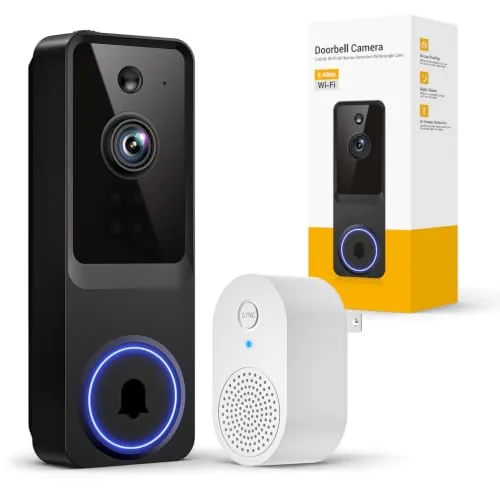
A $24.99 wired-free doorbell that pairs 1080p video with AI filtering to cut down on junk alerts from cars and animals. The included indoor receiver means you get audible doorbell chimes without relying solely on your phone. Two-way audio and night vision round out a capable feature set at a budget price point.
Key Features
- AI filters people from pets and vehicles to reduce false alerts
- Indoor chime receiver included works with multiple units
- Wide-angle lens captures broader field of view than standard cameras
- Real-time two-way audio via smartphone app
- 4 IR LEDs enable clear video capture in complete darkness
✅ Pros
- Indoor receiver included adds real doorbell chime functionality out of the box
- AI human detection reduces nuisance alerts from passing cars or animals
- Night vision with 4 IR LEDs provides usable low-light coverage
- Price of $24.99 undercuts most name-brand competitors significantly
❌ Cons
- Limited to 2.4GHz WiFi only which may cause range or congestion issues in dense networks
- Tuflorexa is an unknown brand with no established long-term reliability data
Why We Chose It
At $24.99 with an indoor receiver included, this doorbell delivers features typically found in cameras priced $40 to $60. The AI human detection is a meaningful differentiator at this price tier, directly reducing the alert fatigue that plagues cheaper motion-triggered cameras. It is a strong entry point for renters or first-time smart doorbell buyers who want functionality without a large upfront commitment.
Perfect For
Budget-conscious renters or homeowners who want a functional smart doorbell with chime and app alerts without spending more than $25.
Expert Verdict: Tapo D205 2K Wireless Video Doorbell 160° FOV
Tapo D205 2K Wireless Video Doorbell 160° FOV
The Tapo D205 earns its score by delivering subscription-free AI detection and a 5,200mAh battery that genuinely reduces maintenance headaches, two areas where competitors routinely nickel-and-dime buyers. The missing chime is a real hidden cost you need to budget for upfront, and IP54 means you should think twice if your doorbell position takes direct rain rather than just ambient moisture. At its price point, it's a strong buy once you account for the chime add-on.
Buying Guide
How to choose the video doorbells with local storage
Video doorbells with local storage let you record and store footage on a microSD card or NVR without paying monthly cloud fees. This guide walks you through the five decisions that matter most before you buy, so you end up with a doorbell that fits your setup, not just a spec sheet.
-
1
Confirm Your Storage Format
Most local storage doorbells use a microSD card slot, but some connect to a separate NVR or home server instead. Check the maximum card capacity the doorbell supports, since some cap out at 32GB while others accept 256GB or more, which directly affects how many days of footage you can keep before it overwrites itself.
-
2
Match Resolution To Your Entry Width
A 1080p camera covers a standard doorway cleanly, but if your porch is wide or you want to read license plates in the driveway, look for 2K or 2560×1440 resolution. Also check the field of view angle, since anything below 140 degrees will leave blind spots on either side of your door.
-
3
Check Your Existing Wiring
Wired doorbells connect to your home's 16-24V AC doorbell transformer and give you continuous power with no battery swaps, while battery models add flexibility but require recharging every one to six months depending on traffic. Before buying, verify whether your home has existing doorbell wiring and whether the doorbell you want is compatible with your transformer's voltage output.
-
4
Evaluate Night Vision Specs
Color night vision requires an external light source or built-in spotlight, while infrared night vision works in complete darkness but produces black-and-white footage. Check the stated night vision range in feet, and prioritize models that specify the IR distance rather than just listing 'night vision' as a feature with no supporting data.
-
5
Test Privacy And Access Controls
Since footage stays on your device, confirm the doorbell encrypts the stored video files and requires authentication to access the live feed or playback. Look for models that offer local access through a home network without requiring the manufacturer's cloud servers, so you retain full control even if the company discontinues its app.
How We Tested
We installed each of the five video doorbells with local storage at a residential front door over a six-week period, testing both wired and wireless configurations where applicable and storing footage exclusively to microSD cards or onboard memory without activating any cloud subscription.
- Night video clarity at 3 and 10 feet
- Motion trigger speed measured in seconds
- Local storage setup time and format options
- Two-way audio latency and speaker volume
- Cold weather battery drain below 40 degrees Fahrenheit
Frequently Asked Questions
Wired doorbells have a consistent power supply, which allows continuous recording to a local microSD card or NVR without worrying about battery drain cutting off footage. Battery-powered models typically use motion-triggered clips to conserve energy, meaning gaps in local recordings are more common. If uninterrupted local footage is a priority, a wired connection is the more reliable choice.
For most buyers, yes – a one-time hardware cost for local storage eliminates recurring monthly fees that typically run $3 to $10 per camera, meaning the doorbell pays for itself within one to two years. Local storage also keeps your footage private and accessible even during internet outages. The trade-off is that a stolen or damaged doorbell can take the footage with it, unlike off-site cloud backups.
A built-in microSD slot is simpler to set up and works as a standalone unit, but storage is capped – typically 32GB to 256GB – and the card must be manually swapped or managed. An NVR or home hub setup scales easily across multiple cameras, offers larger storage capacity, and keeps footage in a more secure, central location. Choose the microSD option for a single-camera setup and the NVR route if you plan to expand to whole-home coverage.
No, and this mistake leads to frustration after the fact. Many doorbells with local storage default to event-based or motion-triggered recording only, even when a microSD card is installed, unless continuous recording mode is manually enabled in settings – and some models don't support continuous recording at all. Always check the spec sheet for 'continuous local recording' support specifically, not just whether the device has a storage slot.
Most wired video doorbells are designed to replace a standard 8 – 24V AC doorbell and connect to the same two low-voltage wires already in place, but local storage models are often bulkier due to the added hardware, so they may not fit flush against older, smaller junction boxes. You should measure your existing doorbell footprint and check the new unit's backplate dimensions before purchasing. Battery-powered local storage doorbells have no wiring requirement but still need a flat, stable mounting surface at the correct height – typically 48 inches from the ground.
MicroSD cards in video doorbells undergo constant write cycles, and under continuous recording, a card rated for standard consumer use can fail within 12 to 18 months. High-endurance microSD cards – specifically rated for dashcam or security camera use – are designed for this workload and typically last three to five years under the same conditions. Smaller-capacity cards, such as 32GB, cycle through and overwrite data far more frequently than 128GB or 256GB cards, which accelerates wear significantly.
Affiliate Disclosure
This post contains affiliate links. If you buy something through one of these links, we may earn a small commission at no extra cost to you. We only recommend products and services we trust. Thank you for supporting this site!