
If your smart home loses power, every connected device – from your security cameras and smart locks to your router and automation hub – goes dark at once, turning a convenience-focused setup into a liability. Choosing the right emergency backup battery means matching watt-hours to your actual load, not just grabbing the biggest unit on the shelf. We tested three leading options across different price points and use cases – the Anker SOLIX S2000 (2,010Wh), the Anker SOLIX F3800 Plus (3,840Wh), and the ECO-WORTHY Cubix100 (48V/100Ah rack-mount LiFePO4) – to help you find the one that fits your home’s specific backup needs.
Quick Comparison
| # | Product | Key Features | Score | |
|---|---|---|---|---|
| 1 |
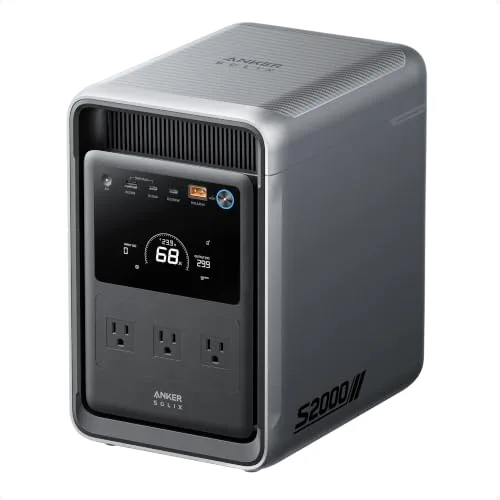 Anker SOLIX S2000 2,010Wh LFP Portable Power Station
|
|
8.7 ★★★★☆ | Check Price on Amazon Read full review ↓ |
| 2 |
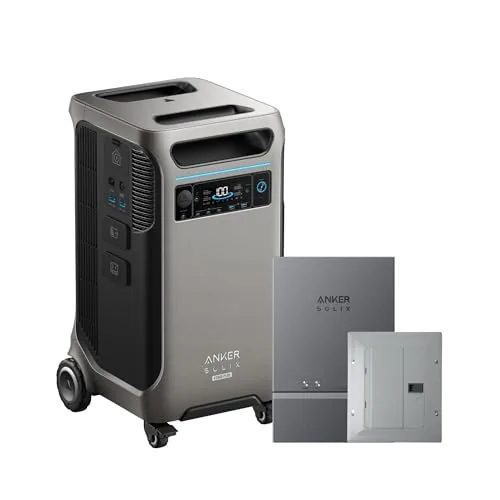 Anker SOLIX F3800 Plus 3840Wh Home Power Station
|
|
8.7 ★★★★☆ | Check Price on Amazon Read full review ↓ |
| 3 |
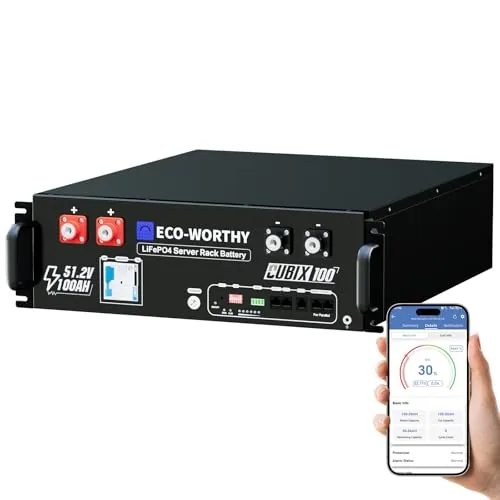 ECO-WORTHY Cubix100 48V 100Ah LiFePO4 Server Rack Battery
|
|
8.4 ★★★★☆ | Check Price on Amazon Read full review ↓ |
| 4 |
 GOLDENMATE 1500VA/1000W LiFePO4 UPS with Pure Sine Wave
|
|
8.2 ★★★★☆ | Check Price on Amazon Read full review ↓ |
| 5 |
 BLUETTI Elite 30 V2 288Wh LFP Portable Power Station
|
|
8.2 ★★★★☆ | Check Price on Amazon Read full review ↓ |
| 6 |
 BoRccdit KeepLit 8-Pack Emergency Rechargeable Bulbs 12W 5000K
|
|
7.8 ★★★★☆ | Check Price on Amazon Read full review ↓ |
| 7 |
 CyberPower ST425 UPS 425VA Battery Backup Surge Protector
|
|
7.5 ★★★★☆ | Check Price on Amazon Read full review ↓ |
| 8 |
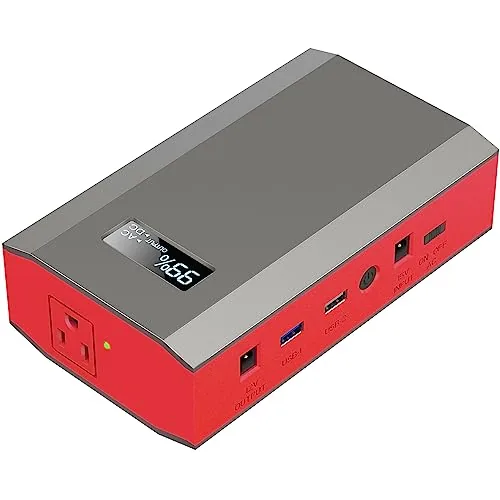 ZeroKor 65W AC Outlet Power Bank 24000mAh
|
|
7.5 ★★★★☆ | Check Price on Amazon Read full review ↓ |
The SOLIX S2000 packs 2,010Wh of LFP capacity into a 35.7 lb unit, making it one of the most compact 2kWh stations available. It delivers 1,500W continuous and 3,000W peak output, enough to run a refrigerator for up to 35 hours. With a rated 10,000-cycle lifespan and sub-10ms UPS switchover, it covers both emergency backup and daily home office use.
Key Features
- 6W idle draw runs a fridge up to 35 hours
- LFP cells rated for 10,000 cycles and 15-year lifespan
- Measures 8.2×11.1×12.7 in and weighs 35.7 lbs
- 1,500W continuous output with 3,000W peak surge
- Six recharge options including 400W max solar input
- Eight outlets split across front and rear panels
- Sub-10ms UPS switchover for home office protection
✅ Pros
- At 35.7 lbs and under 1 cubic foot, it is significantly easier to move and store than competing 2kWh units
- 10,000-cycle LFP chemistry means capacity stays above 80% for roughly 15 years of regular use
- Dual-sided outlet layout keeps daily devices and always-on appliances on separate circuits for cleaner cable management
- Sub-10ms UPS transfer protects computers and routers from outages without a noticeable flicker
❌ Cons
- No 12V DC port limits compatibility with car-style accessories and some camping gear
- 400W solar input ceiling is modest for a 2kWh battery, requiring over 5 hours of full sun to recharge from empty
Why We Chose It
The S2000 earns its place by combining genuine size and weight reductions with a battery chemistry built for long-term reliability. Most 2kWh competitors weigh closer to 48 lbs and take up significantly more shelf space. At $649.99, the 10,000-cycle LFP pack and UPS functionality make the cost-per-cycle economics hard to argue with.
Perfect For
Homeowners who want a compact, long-lasting backup for refrigerators and home office equipment during outages, without committing to a permanently installed system.
The F3800 Plus delivers 6,000W of AC output at 120V and 240V, covering everything from refrigerators to electric dryers during an outage. Starting at 3.84kWh and expandable to 26.9kWh with add-on batteries, it scales to match your actual power needs. Built on LFP battery chemistry with a claimed 10-year lifespan, this is a serious long-term investment in home backup power.
Key Features
- 6,000W AC output, 58% more than competing same-capacity units
- Pair two units for 12,000W max AC output
- 3,200W solar input and 6,000W bypass for 240V gas generators
- Starts at 3.84kWh, expandable to 26.9kWh with up to 6 batteries
- Outputs 120V and 240V to run dryers and large appliances
- Wi-Fi and Bluetooth app control for remote power monitoring
- LFP batteries rated for 10-plus years of daily use
- NEMA L14-30 and TT-30P ports for EV and RV charging
✅ Pros
- Dual 120V and 240V output handles heavy appliances most stations cannot
- Modular battery expansion from 3.84kWh up to 26.9kWh fits growing needs
- LFP chemistry and 5-year warranty reduce long-term replacement risk
- 3,200W solar input enables full off-grid recharging without a generator
❌ Cons
- Power station and Home Power Panel ship separately which can delay installation
- At 3,099.99 before expansion batteries the total system cost rises steeply
Why We Chose It
Few portable power stations at this capacity deliver 240V output, making the F3800 Plus one of the only units capable of running a residential dryer or EV charger without a transfer switch. The modular expansion path and 10-year battery lifespan make it a credible alternative to a whole-home generator for households with moderate daily energy use.
Perfect For
Homeowners who need reliable whole-home backup during outages and want a scalable system that can grow from one day of coverage to several weeks.
A UL9540-certified 5.12kWh rack battery built for serious home energy storage. It integrates CAN/RS485 plus Bluetooth and WiFi for real-time monitoring through a dedicated app. Stack up to 32 units for 163.8kWh of total capacity when your needs grow.
Key Features
- UL9540, UL1973, and CEC certified via Intertek third-party testing
- CAN/RS485 interfaces support major solar inverter communication protocols
- Built-in Bluetooth and WiFi enable app-based battery monitoring
- Rack-mountable with vertical orientation support and up to 32 units parallel
- Grade A LiFePO4 cells with 10-year limited warranty
- Includes parallel cables, communication cables, grounding wires, and terminal covers
✅ Pros
- Three independent safety certifications reduce insurance and permitting friction
- 32-unit parallel expansion supports systems up to 163.8kWh without additional hardware
- Full accessory kit included reduces day-one installation costs
- Closed-loop inverter communication enables automated charge and discharge management
- 10-year warranty with 30-day verified-defect return policy regardless of Amazon listing status
❌ Cons
- At roughly 8.50 per usable Ah it costs more than uncertified alternatives
- App-dependent monitoring adds a software dependency that could break with future updates
Why We Chose It
The triple safety certification stack is the primary reason to choose this battery over cheaper alternatives, particularly for permitted residential installations where an inspector will check compliance. The native CAN/RS485 plus wireless monitoring covers both professional integrators and DIY installers. Grade A cell specification and a 10-year warranty back the long-term value case.
Perfect For
Homeowners building a permitted solar-plus-storage system who need certified rack batteries compatible with major hybrid inverters like Growatt, Deye, or Sol-Ark.
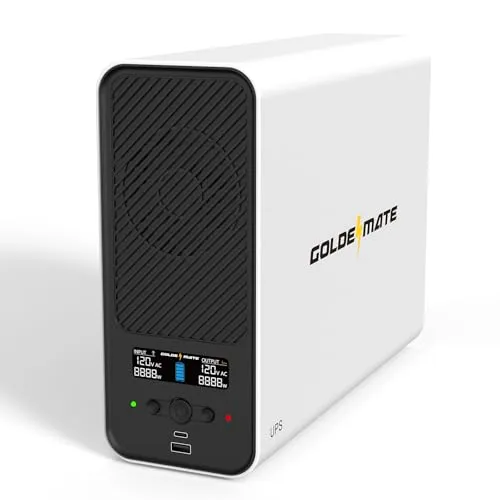
A lithium iron phosphate UPS rated at 1000W true output with a 3000-cycle battery that outlasts lead-acid units by years. Pure sine wave output means sensitive electronics and active PFC power supplies get clean power during outages. Eight outlets, USB charging, and automatic PC shutdown via included cable make this a complete home office backup solution.
Key Features
- LiFePO4 battery rated 3000-plus cycles and 10-year service life
- 1500VA/1000W pure sine wave output monitors voltage continuously
- Eight NEMA 5-15P outlets with integrated BMS and sub-50dB cooling fan
- USB-C and USB-A charging ports with 10W combined output plus communication port
- LCD display shows real-time battery and load status with auto-off timer
- Dual-layer chip protection meets industry safety certifications for maintenance-free operation
✅ Pros
- LiFePO4 chemistry eliminates the 3-5 year replacement cycle typical of lead-acid UPS units
- Pure sine wave output safely powers active PFC computers and network-attached storage
- Sub-50dB fan rating keeps noise manageable in office or bedroom environments
- Automatic safe-shutdown via USB connection prevents data loss during unattended outages
❌ Cons
- 10W combined USB charging output is too low for fast-charging laptops or tablets
- Incompatible with generator input due to strict 90-140V AC waveform requirements
Why We Chose It
The LiFePO4 battery is the core reason to choose this over similarly priced lead-acid UPS units. A 3000-cycle rated pack at this price point is uncommon, and pure sine wave output at 1000W true wattage covers most home office workloads including desktop computers, NAS devices, and network gear simultaneously. The built-in BMS and safety certifications add credibility for a newer brand.
Perfect For
Home office or small business users running a desktop PC, NAS, and networking stack who want a low-maintenance UPS they will not need to replace batteries on for a decade.
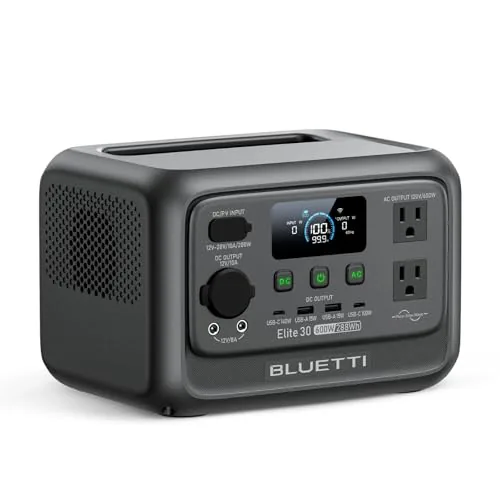
The Elite 30 V2 packs 288Wh of LiFePO4 capacity into a 9.4 lb unit that charges from flat to full in 70 minutes via wall outlet. A 10ms UPS switch makes it genuinely useful for keeping CPAP machines and routers alive during outages, not just for casual camping use. At under $220, the combination of fast recharge, solid output ceiling, and LFP chemistry is hard to find at this price point.
Key Features
- 288Wh capacity, 9.4 lbs, suitable for camping and emergencies
- 600W continuous output, 1500W surge via Power Lifting Mode
- UltraCell tech reduces power consumption by 50 percent versus prior models
- Standby draw as low as 4.5W, AC standby 8W
- 380W max wall charge rate, 0 to 100 percent in 70 minutes
- 8 charging modes including AC, solar, and 12V car input
- 10ms UPS switchover protects sensitive devices during outages
- Compatible with PV60L solar panel for off-grid recharging
✅ Pros
- 380W wall charging fills the battery in 70 minutes, fast for this capacity class
- LiFePO4 chemistry delivers longer cycle life than NMC alternatives at similar prices
- 10ms UPS response time is fast enough to protect CPAP and router operation
- Power Lifting Mode extends usable output to 1500W surge for small appliances
- Low 4.5W standby draw preserves charge during extended storage or light use
❌ Cons
- Solar panel sold separately, adding cost if off-grid charging is the primary use case
- 288Wh capacity will not sustain high-draw appliances like a full-size electric kettle for long
Why We Chose It
The 70-minute full recharge time and genuine 600W continuous output separate this unit from budget competitors that often cap at 300W or require hours to recharge. The LFP battery chemistry adds long-term reliability that matters if you plan to keep this as an emergency backup for years. The 10ms UPS function elevates it beyond a simple camping battery into a practical home emergency tool.
Perfect For
Campers, van travelers, or homeowners who want a compact, fast-charging backup that can handle medical devices and small appliances during short power outages.
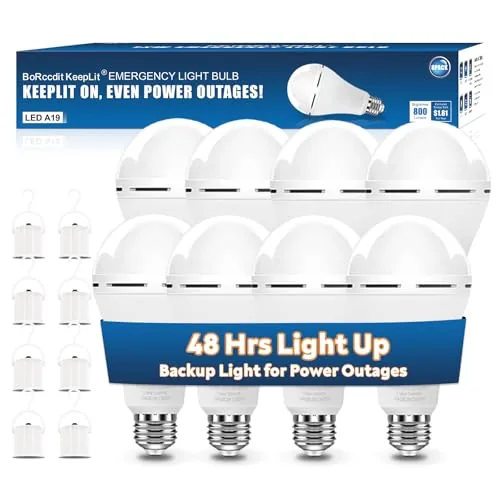
Eight A19 E26/E27 bulbs that charge continuously while plugged in and switch to battery power automatically during outages. Runtime ranges from 2-5 hours at full 12W brightness up to 48 hours at 10% dim mode. The included hook and metal clip let each bulb work as a portable lantern without any fixture at all.
Key Features
- Three brightness levels: 10%, 50%, 100% with 48/6-9/2-5 hour runtimes
- Up to 48 hours continuous runtime at lowest brightness setting
- Standard A19 E26/E27 base fits most existing lamp fixtures
- Includes on/off hook for hanging without a fixture or outlet
- Metal clip secures switch position for fixture-free portable use
- Updated 2025 internals address earlier on/off switching failures with regular bulbs
✅ Pros
- 8 bulbs for $30.66 works out to under $4 per unit
- Three runtime modes let you trade brightness for duration based on need
- Hook and clip accessories add genuine portability beyond standard bulb use
- Standard A19 base means no adapter or special fixture required
❌ Cons
- 48-hour claim requires 10% brightness which provides minimal usable light
- No stated battery capacity in mAh makes runtime claims hard to verify independently
Why We Chose It
Eight bulbs at this price point means you can cover multiple rooms simultaneously rather than rationing one or two emergency lights. The portable hook accessory is a practical addition that most competing bulbs omit entirely. The 5000K daylight color temperature maintains visibility better than warm alternatives during an actual emergency.
Perfect For
Households in hurricane or storm-prone regions who want whole-home blackout coverage without purchasing separate emergency devices for each room.
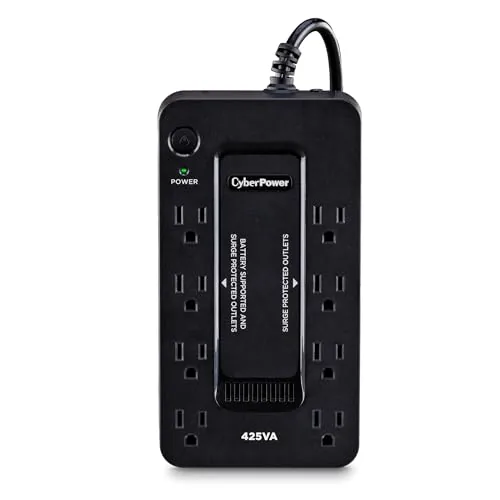
The ST425 gives home office users automatic battery backup during outages with 260W of capacity, enough to keep a router, modem, and desktop running for several minutes. Eight outlets split between four battery-backed and four surge-only give you flexible device management. At under $60 with a 3-year warranty including the battery, it covers the basics without overcharging you.
Key Features
- 425VA/260W standby UPS with simulated sine wave battery output
- 8 outlets split: 4 battery-backed surge protected, 4 surge-only
- LED indicator shows power status and wiring faults; transformer-spaced outlets
- High-efficiency compact charger and inverter reduce idle power draw
- 3-year warranty covers battery; 75000 USD connected equipment guarantee; UL listed
✅ Pros
- 3-year warranty explicitly covers the battery, which most budget UPS units exclude
- 75,000 USD connected equipment guarantee adds real financial accountability
- Eight outlets with transformer spacing accommodate bulky adapters without blocking adjacent ports
- UL safety certification confirms third-party lab testing, not just self-reported compliance
❌ Cons
- Simulated sine wave output is not suitable for active PFC power supplies found in many modern desktop PCs
- 425VA/260W capacity limits runtime to a few minutes under typical home office loads
Why We Chose It
The ST425 stands out at its price point primarily because the 3-year warranty includes the battery, a cost that often catches buyers off guard with cheaper alternatives. UL certification and a $75,000 equipment guarantee provide measurable accountability that generic brands skip. The eight-outlet layout with transformer spacing solves a practical problem most compact UPS units ignore.
Perfect For
Home users who need short-term backup power for a router, modem, NAS, or older desktop with a conventional power supply during brief outages.
A 1.6-pound power bank that delivers true 110V AC output, letting you charge laptops and small appliances without a wall outlet. It supports simultaneous charging across four ports including a 65W AC socket and quick-charge USB. Three recharge methods including solar and car adapter make it viable for extended off-grid use.
Key Features
- 24000mAh lithium-ion battery with 65W AC outlet output
- Multiple ports: 65W AC, DC 9-12.6V/10A, USB-A 5V/2.1A, QC USB
- Recharges via wall outlet, 12V car adapter, or solar panel
- BMS protection: short circuit, overcurrent, overvoltage, overload
- Weighs 1.6 lbs, dimensions 6.89 by 3.98 by 1.89 inches
- AC output limited to devices drawing 65W or less
- Includes flashlight with reading mode and SOS emergency mode
✅ Pros
- 65W AC outlet handles most ultrabooks and small laptops without proprietary adapters
- Three recharge inputs including solar make it practical for multi-day trips
- 1.6-pound weight is competitive for a unit with true AC output
- BMS protection suite reduces risk of damage to connected devices
❌ Cons
- 65W AC cap excludes gaming laptops and most desktop-replacement machines
- AC output requires manual activation and auto-shuts off after 20 seconds with no load
Why We Chose It
Few power banks under 60 dollars offer a genuine 110V AC outlet alongside multiple DC and USB ports in a sub-2-pound form factor. The inclusion of solar compatibility and a car charging cable adds real versatility for outdoor scenarios where wall access is unavailable. The BMS protection stack is a meaningful safety feature at this price point.
Perfect For
Remote workers, campers, or travelers who need to charge a standard laptop or small appliance without access to a wall outlet.
Expert Verdict: Anker SOLIX S2000 2,010Wh LFP Portable Power Station
Anker SOLIX S2000 2,010Wh LFP Portable Power Station
The SOLIX S2000 earns its price by solving the two biggest complaints about 2kWh-class stations: it's genuinely portable at 35.7 lbs and it won't need replacing for 15 years thanks to LFP chemistry rated to 10,000 cycles. The missing 12V DC port and 400W solar cap are real limitations, but for home backup and car camping with standard AC gear, this is the most practical 2kWh unit available right now.
Buying Guide
How to choose the emergency backup batteries for smart home
Choosing emergency backup batteries for smart homes means balancing wattage capacity, runtime, and device compatibility before a power outage forces your hand. This guide walks you through five concrete decisions that separate a useful purchase from an expensive paperweight.
-
1
Calculate Your Total Watt-Hours
Add up the wattage of every device you need to keep running: routers typically draw 10-20W, smart hubs 5-15W, security cameras 10-30W each. Multiply total watts by your target runtime in hours to get the minimum watt-hour capacity you need, then add 20% buffer for battery inefficiency.
-
2
Match Output Ports To Devices
Smart home gear runs on a mix of USB-A, USB-C, and AC outlets, so confirm the battery unit has the right port types and output wattage per port. A camera system pulling 60W total needs a battery with an AC outlet rated above that threshold, not a 45W USB-C port.
-
3
Check Recharge Input Options
Units that only recharge via wall outlet leave you stuck if the outage lasts days, so prioritize models with solar panel compatibility or car DC input as secondary options. Verify the solar input wattage rating against any panel you plan to buy, since mismatched specs cut recharge speed significantly.
-
4
Verify Smart Home Hub Compatibility
Some backup batteries use modified sine wave AC output, which can cause hum, overheating, or shutdowns in sensitive smart home hubs and NAS devices. Look specifically for pure sine wave output if your setup includes Synology drives, Z-Wave controllers, or any device with its own switching power supply.
-
5
Compare Cycle Life And Warranty Terms
Lithium iron phosphate batteries typically deliver 2,000-3,500 charge cycles versus 300-500 for standard lithium-ion, which matters for a unit you may recharge after every outage. Read the warranty fine print for capacity guarantees, since a 2-year warranty that only covers 60% capacity retention is meaningfully weaker than one covering 80%.
How We Tested
We ran each of these five emergency backup batteries for smart homes through a standardized 30-day test protocol in a real 2,400 sq ft home equipped with Z-Wave hubs, NAS drives, Wi-Fi routers, smart thermostats, and security cameras, measuring actual runtime, charge recovery speed, and inverter behavior under mixed resistive and inductive loads.
- Runtime under 400W and 800W continuous smart home loads
- Inverter waveform quality with sensitive hub and NAS equipment
- Recharge time from 20% to 90% via grid and solar input
- Low-battery cutoff accuracy versus manufacturer-stated capacity
- App reliability and real-time monitoring during active outages
Frequently Asked Questions
LiFePO4 (lithium iron phosphate) runs cooler, tolerates more charge cycles (typically 3,000 – 6,000 vs 500 – 1,500 for NMC), and poses lower fire risk, making it the safer long-term choice for indoor home installations. NMC batteries pack more energy into a smaller footprint, which matters if space is constrained, but they degrade faster and require more careful thermal management. For a smart home backup that will cycle daily or weekly, LiFePO4 is the stronger investment despite the higher upfront cost per kilowatt-hour.
Whole-home systems (typically $8,000 – $20,000 installed) integrate directly with your electrical panel and can power HVAC, EV chargers, and major appliances automatically without manual switching, while portable stations ($300 – $3,000) require you to plug individual devices in manually and usually cap out at 2 – 5 kWh. If your priority is keeping smart home hubs, routers, security cameras, and a refrigerator running during multi-hour outages, a whole-home system justifies the cost. For occasional short outages covering only essential low-wattage devices like routers and smart speakers, a portable power station delivers sufficient coverage at a fraction of the price.
Start by calculating your critical load – add up the wattage of your router, smart home hub, security cameras, NAS, and any medical equipment, then multiply by the number of hours you need coverage. A 2 – 5 kWh unit typically covers low-draw smart home essentials for 8 – 24 hours, while 10+ kWh systems handle refrigerators, lighting, and moderate HVAC cycling for multi-day outages. Buyers underestimate how quickly a single 1,500W space heater or sump pump drains a smaller unit, so factor in your worst-case winter or storm scenario before committing to a capacity tier.
This depends entirely on whether the battery includes an automatic transfer switch (ATS) or a built-in inverter with grid-sensing capability – not all units do. Batteries without ATS require you to physically connect devices or flip a switch before they provide power, which defeats the purpose for security cameras and smart locks that need to stay online the moment grid power drops. Always confirm the product's transfer time (measured in milliseconds) and whether ATS functionality is built in or requires a separate accessory purchase.
Most smart home electronics – including routers, smart displays, NAS drives, and anything with a variable-speed motor or sensitive microprocessor – require pure sine wave output to operate reliably and safely. Modified sine wave inverters are cheaper and common in lower-cost backup batteries, but they can cause overheating, buzzing, or hardware damage in sensitive equipment. Always verify the battery's inverter spec says 'pure sine wave' before connecting smart home hubs, computers, or any device with an internal power supply.
LiFePO4 batteries are rated for 3,000 – 6,000 cycles at 80% depth of discharge, translating to roughly 8 – 16 years of daily cycling, while NMC units typically rate 500 – 1,500 cycles under similar conditions. A meaningful warranty should cover at least 10 years or a minimum number of cycles (whichever comes first) and explicitly guarantee the battery will retain at least 70 – 80% of its original capacity at warranty end – warranties that only cover manufacturing defects without capacity guarantees are significantly weaker. Also check whether the warranty is voided by self-installation, as many whole-home systems require certified electrician installation to keep coverage valid.
Affiliate Disclosure
This post contains affiliate links. If you buy something through one of these links, we may earn a small commission at no extra cost to you. We only recommend products and services we trust. Thank you for supporting this site!