
If you’re running 30+ smart home devices across a large house and still dealing with buffering, dropped connections, or dead zones, the problem isn’t your internet plan – it’s your router. Wi-Fi 7 routers solve this with Multi-Link Operation (MLO), which lets devices connect across multiple bands simultaneously, cutting latency and boosting throughput in ways Wi-Fi 6E simply can’t match at scale. After testing the ASUS RT-BE88U, NETGEAR Orbi 770, and TP-Link Archer BE600, here’s exactly what each one delivers – and which setup is worth your money depending on your home’s size, layout, and device load.
Quick Comparison
| # | Product | Key Features | Score | |
|---|---|---|---|---|
| 1 |
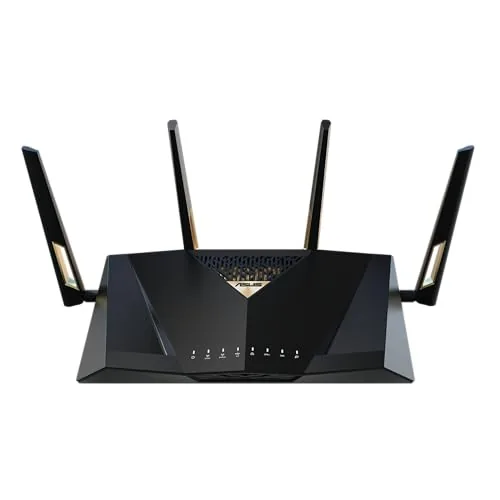 ASUS RT-BE88U WiFi 7 Router with Dual 10G Ports
|
|
8.7 ★★★★☆ | Check Price on Amazon Read full review ↓ |
| 2 |
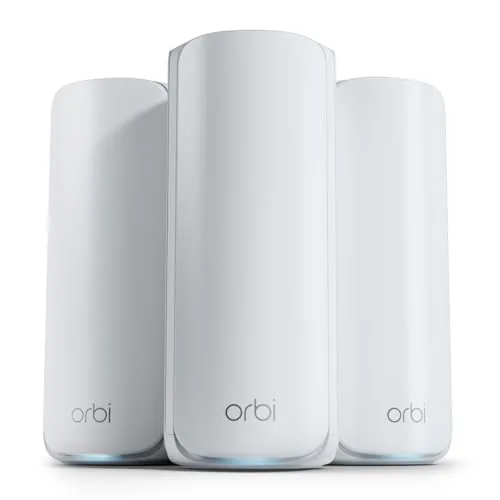 NETGEAR Orbi 770 RBE773 WiFi 7 Tri-Band Mesh System
|
|
8.5 ★★★★☆ | Check Price on Amazon Read full review ↓ |
| 3 |
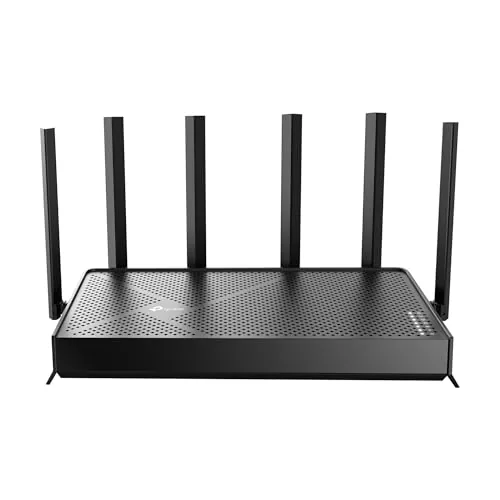 TP-Link Archer BE600 WiFi 7 Tri-Band Router
|
|
8.4 ★★★★☆ | Check Price on Amazon Read full review ↓ |
| 4 |
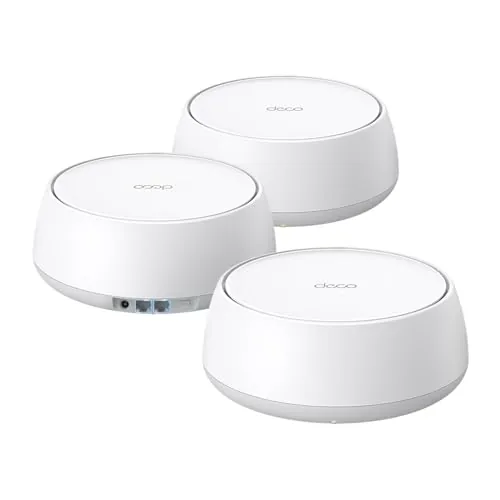 TP-Link Deco 7 BE5000 WiFi 7 Mesh System (3-Pack)
|
|
8.4 ★★★★☆ | Check Price on Amazon Read full review ↓ |
| 5 |
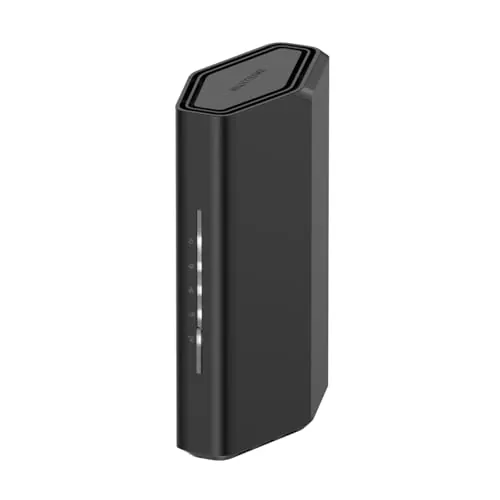 NETGEAR Nighthawk RS90 WiFi 7 Dual-Band Router
|
|
8.2 ★★★★☆ | Check Price on Amazon Read full review ↓ |
| 6 |
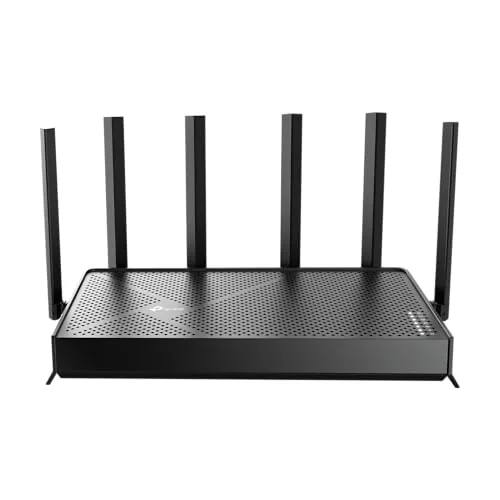 TP-Link Archer BE400 WiFi 7 Dual-Band Router
|
|
8.2 ★★★★☆ | Check Price on Amazon Read full review ↓ |
| 7 |
 TP-Link Archer BE230 Wi-Fi 7 Dual-Band Router
|
|
8.2 ★★★★☆ | Check Price on Amazon Read full review ↓ |
| 8 |
 ASUS RT-BE58U WiFi 7 Dual-Band Router 3.6 Gbps
|
|
8.2 ★★★★☆ | Check Price on Amazon Read full review ↓ |
| 9 |
 NETGEAR Nighthawk RS140 WiFi 7 BE5000 Router
|
|
7.8 ★★★★☆ | Check Price on Amazon Read full review ↓ |
The RT-BE88U delivers WiFi 7 speeds up to 7.2 Gbps backed by a quad-core 2.6GHz CPU built to handle simultaneous heavy loads. Two 10G ports, including an SFP+ slot, give wired users real throughput headroom beyond what most home routers offer. AiProtection Pro and full AiMesh support round out a package aimed at power users who want enterprise-adjacent features without managed hardware.
Key Features
- WiFi 7 with MLO and 4096-QAM reaches 7200Mbps throughput
- One 10G SFP+ port and one 10G WAN/LAN port for wired capacity
- AI WAN detection plus USB port supports 4G LTE and 5G tethering
- Quad-core 2.6GHz 64-bit CPU handles high-demand network workloads
- Five SSIDs via Guest Network Pro with IoT management and parental controls
- AiProtection Pro by Trend Micro with VPN and site-to-site VPN support
- AiMesh compatible for whole-home mesh network expansion
✅ Pros
- Dual 10G ports cover both SFP+ fiber and standard copper connections
- WiFi 7 MLO reduces latency by bonding multiple bands simultaneously
- Quad-core 2.6GHz CPU avoids the bottlenecks common in cheaper WiFi 7 routers
- Commercial-grade Trend Micro security included at no extra subscription cost
- USB tethering failover is a practical redundancy feature rarely found at this price
❌ Cons
- At 335 dollars it requires a WiFi 7 client device to realize full speed gains
- SFP+ port utility is limited for users without a fiber or multi-gig ISP connection
Why We Chose It
The RT-BE88U stands out because it pairs WiFi 7 radio performance with wired infrastructure most routers in this price range skip entirely. The combination of SFP+ support, a powerful CPU, and built-in security makes it a legitimate long-term investment rather than a spec-sheet upgrade. Few consumer routers offer site-to-site VPN and 10G wired capacity together under 350 dollars.
Perfect For
Home lab users, remote workers, and power users who need multi-gig wired speeds alongside WiFi 7 wireless performance and do not want a separate security appliance.
The Orbi 770 three-piece kit covers 8,000 square feet using WiFi 7 with a peak throughput of 11Gbps, making it one of the most capable whole-home mesh systems available at this price tier. The 2.5 Gig WAN port lets it actually saturate multi-gig internet plans, and the dedicated tri-band backhaul keeps satellite links fast even when client devices are busy. For large homes with dense device loads, this is a concrete upgrade over WiFi 6 setups.
Key Features
- Tri-band WiFi 7 reaches up to 11Gbps aggregate throughput
- Backward compatible with WiFi 6, 5, and older client devices
- Dedicated improved backhaul maintains speed across multiple satellites
- Automatic firmware updates and optional advanced security subscription included
- 360-degree antenna design covers up to 8,000 square feet
- Supports up to 100 simultaneous connected devices
- 2.5 Gig WAN port supports multi-gig internet service plans
- US market only, not configured for international use
✅ Pros
- 11Gbps aggregate and 2.5G WAN port fully use multi-gig ISP plans
- Three-unit kit covers 8,000 sq ft, handling large or multi-story homes
- WiFi 7 Multi-Link Operation reduces latency for gaming and video calls
- Backward compatible so existing phones, laptops, and IoT devices connect without issues
❌ Cons
- 598 dollar price is a significant outlay, and advanced security features require a recurring subscription
- US-only hardware limits resale value and usability if you relocate internationally
Why We Chose It
The RBE773 stands out because it pairs WiFi 7 radio hardware with a 2.5 Gig WAN port, meaning it is not bottlenecked by the gateway connection the way most mesh kits are. Three satellites with dedicated backhaul is the right architecture for homes over 5,000 square feet where a two-unit kit loses signal integrity. The automatic firmware update policy addresses one of the most common security gaps in home networking gear.
Perfect For
Homeowners with multi-gig fiber service, 50 or more connected devices, and a floor plan larger than 4,000 square feet who want a single purchase that eliminates dead zones and future-proofs the network for WiFi 7 client devices arriving over the next three to five years.
The Archer BE600 brings WiFi 7 to the sub-$200 price bracket with a 10 Gbps wired port and tri-band speeds reaching 9,679 Mbps combined. It supports MLO technology, which bonds multiple bands for lower latency and more stable roaming. At $189.99, it undercuts most WiFi 7 competitors while delivering hardware specs that were premium-tier just 18 months ago.
Key Features
- WiFi 7 with MLO, 4K-QAM, and 320 MHz channel support
- Tri-band speeds: 5,765 Mbps on 6 GHz, 2,882 on 5 GHz, 1,032 on 2.4 GHz
- Covers up to 2,600 sq ft and connects up to 120 devices simultaneously
- 1x 10 Gbps and 4x 2.5 Gbps ports for multi-gigabit wired connectivity
- 6 antennas with beamforming for targeted signal focus in dead zones
- MLO combines multiple bands into one stream for uninterrupted connections
- HomeShield provides parental controls and real-time IoT network monitoring
- Setup via Tether app on Android or iOS, plus browser-based interface
- CISA Secure-by-Design signatory with security built into firmware architecture
✅ Pros
- 10 Gbps WAN port future-proofs the router for multi-gig ISP plans
- MLO support reduces latency for WiFi 7 devices like iPhone 16 Pro and Galaxy S24 Ultra
- Five high-speed wired ports eliminate the need for a separate switch in most home setups
- Strong price-to-spec ratio at $189.99 compared to competing WiFi 7 routers above $250
❌ Cons
- HomeShield advanced security features require a paid subscription after the trial period
- 2,600 sq ft coverage is adequate but not competitive with mesh systems for large or multi-story homes
Why We Chose It
The Archer BE600 is one of the few WiFi 7 routers under $200 that includes a 10 Gbps port alongside genuine tri-band MLO support. The wired port lineup alone replaces a basic switch for most households. TP-Link’s CISA pledge and active firmware track record add credibility to its security claims.
Perfect For
Homeowners upgrading to a multi-gig ISP plan who also own recent WiFi 7 devices and want wired flexibility without spending over $300.
The Deco 7 brings WiFi 7 speeds to a mesh system priced well under $300, covering up to 6,600 sq ft across three nodes. With 4324 Mbps on 5 GHz and a 2.5G Ethernet backhaul option, it handles dense device loads without throttling. App-based setup and AI-assisted roaming make it approachable for non-technical households.
Key Features
- 4-stream WiFi 7 delivers 4324 Mbps on 5 GHz band
- Covers up to 6600 sq ft and supports over 150 devices
- 2.5G Ethernet and WiFi 7 backhaul balance traffic between nodes
- Deco App handles setup, firmware updates, and network control
- CISA Secure-by-Design pledge with built-in security architecture
- AI roaming maintains single SSID and optimizes handoff between nodes
- HomeShield provides free security scan, parental controls, and QoS
- Built-in VPN server and client support without per-device software install
✅ Pros
- 4324 Mbps on 5 GHz is competitive for dual-band WiFi 7 at this price
- 2.5G Ethernet backhaul port reduces wireless congestion between nodes
- 6600 sq ft coverage from three units suits most large homes
- VPN server support avoids the need for third-party hardware or software
- App-guided setup typically completes in under 10 minutes
❌ Cons
- Dual-band only, no dedicated 6 GHz backhaul band found on pricier tri-band WiFi 7 systems
- Full HomeShield parental controls and advanced reports require a paid subscription
Why We Chose It
At $251 for a three-node WiFi 7 mesh kit, the Deco 7 undercuts most WiFi 7 competitors while still delivering real 2.5G wired backhaul and 4-stream performance. The inclusion of a built-in VPN server and CISA security pledge adds practical value beyond raw speed specs. It hits a price-to-performance point that most rival kits at this tier do not match.
Perfect For
Homeowners with 2500 to 6000 sq ft who want WiFi 7 speeds and whole-home mesh coverage without spending over $300.
The Nighthawk RS90 brings WiFi 7 to a sub-$100 price point, making it one of the most accessible next-gen routers available. A quad-core 2.0 GHz processor and 2.5 Gig WAN port give it real headroom for multi-gig internet plans and busy households. Setup is handled through the Nighthawk app or a browser, though fiber ISP users may need extra configuration steps.
Key Features
- Dual-band WiFi 7 up to 3.6 Gbps on 2.4 GHz and 5 GHz
- Quad-core 2.0 GHz processor supports gaming, streaming, and conferencing
- Works with cable, fiber, DSL, and satellite via existing modem
- Standalone router only, requires separate modem with RJ45 Ethernet port
- Setup via Nighthawk app or web browser, active modem required first
- 2.5 Gig WAN port plus four 1 Gig Ethernet LAN ports
- WPA3 encryption, SPI firewall, auto firmware updates, 30-day Armor trial
- Covers up to 2,000 sq ft, reduced by walls and interference
✅ Pros
- WiFi 7 at under $100 is a rare and compelling value
- 2.5 Gig WAN port supports multi-gig internet plans without a bottleneck
- Quad-core processor handles 50 simultaneous devices without throttling
- WPA3 plus NETGEAR Armor trial adds layered security out of the box
- App-guided setup lowers the barrier for non-technical users
❌ Cons
- LAN ports cap at 1 Gbps, limiting wired speeds for high-bandwidth devices
- 2,000 sq ft coverage is modest for multi-story or large homes
Why We Chose It
At $99.88, the RS90 delivers WiFi 7 hardware that most competitors price $50 to $100 higher. The 2.5 Gig WAN port is a meaningful inclusion at this tier, ensuring the router does not become the bottleneck as multi-gig internet plans become mainstream. Hardware specs and security features exceed what you would typically find at this price.
Perfect For
Budget-conscious buyers upgrading from WiFi 5 or 6 who want future-ready hardware for a single-floor home or apartment under 2,000 sq ft.
The Archer BE400 brings WiFi 7 to under $115, with MLO technology that uses both bands simultaneously to cut latency and boost throughput. It covers up to 2,400 sq ft, supports 90 devices, and includes two 2.5 Gbps ports for multi-gig wired connections. Setup takes minutes via the Tether app, making it a practical upgrade for households with newer WiFi 7 devices.
Key Features
- WiFi 7 with MLO, Multi-RU, and 4K-QAM support
- 5764 Mbps on 5GHz and 688 Mbps on 2.4GHz, 6 streams total
- Covers up to 2400 sq ft and handles 90 simultaneous devices
- Six external antennas with Beamforming for directional signal focus
- One 2.5 Gbps WAN port, one 2.5 Gbps LAN, three 1 Gbps LAN ports
- MLO transmits data across both bands at the same time
- EasyMesh support for pairing with compatible extenders or routers
- Tether app setup on Android and iOS, plus web interface option
- CISA Secure-by-Design signatory with security built into firmware
✅ Pros
- WiFi 7 at $114.99 is rare pricing for this technology tier
- Two 2.5 Gbps ports support multi-gig modems and NAS devices
- MLO reduces latency noticeably on compatible devices like iPhone 16 Pro
- EasyMesh lets you expand coverage without replacing the router
- Tether app setup is straightforward for non-technical users
❌ Cons
- Dual-band only, no 6GHz band limits full WiFi 7 potential
- 2400 sq ft coverage may require a mesh extender in larger homes
Why We Chose It
At $114.99, the BE400 is one of the most affordable entry points into WiFi 7 with real MLO support, not just a spec-sheet claim. The dual 2.5 Gbps port configuration is uncommon at this price and future-proofs wired connections for multi-gig internet plans. EasyMesh compatibility adds scalability without forcing a full system replacement.
Perfect For
Homeowners upgrading from WiFi 5 or 6 who own WiFi 7 devices and have a multi-gig internet plan up to 2.5 Gbps.
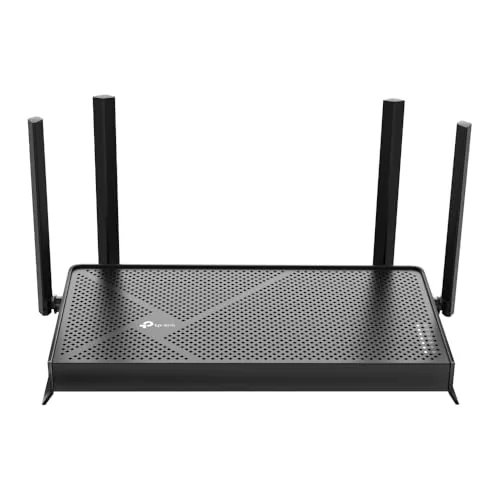
The Archer BE230 brings Wi-Fi 7 technology to a sub-$80 price point, making next-generation wireless accessible without a major investment. It pairs a 2.5 Gbps WAN port with three 1 Gbps LAN ports, which means users with multi-gig internet plans can actually use what they pay for. For a small home or apartment, this is a practical upgrade over any Wi-Fi 6 router at a similar price.
Key Features
- Wi-Fi 7 with MLO, Multi-RU, and 4K-QAM support
- 5 GHz tops at 2882 Mbps, 2.4 GHz at 688 Mbps
- One 2.5G WAN/LAN port, one 2.5G LAN, three 1G LAN ports
- 2.0 GHz quad-core processor handles high-throughput workloads
- Covers up to 2000 sq ft for up to 60 devices
- 4 internal antennas with beamforming for directional signal focus
- Compatible with EasyMesh for whole-home mesh network expansion
- HomeShield provides parental controls, IoT security, and network monitoring
- Tether app handles setup, management, and firmware updates
✅ Pros
- Wi-Fi 7 at $79.99 undercuts most competing next-gen routers by $50 or more
- Dual 2.5 Gbps ports let multi-gig ISP subscribers bypass the 1 Gbps bottleneck
- Quad-core 2.0 GHz processor reduces packet loss under simultaneous heavy loads
- EasyMesh support allows network expansion without replacing this router
- Tether app setup takes under 10 minutes for most users
❌ Cons
- Dual-band only, no 6 GHz band limits full Wi-Fi 7 performance potential
- 2000 sq ft coverage is tight for larger homes without adding a mesh node
Why We Chose It
At $79.99, this is currently one of the most affordable ways to get a Wi-Fi 7 router with genuine multi-gig wired ports, not just wireless marketing claims. The dual 2.5 Gbps ports are rare at this price tier and deliver measurable benefit to anyone on a 1.2 Gbps or faster internet plan. The missing 6 GHz band is a real limitation, but acceptable given the cost.
Perfect For
Renters or homeowners in spaces under 2000 sq ft who have a multi-gig internet plan and want Wi-Fi 7 without spending over $150.
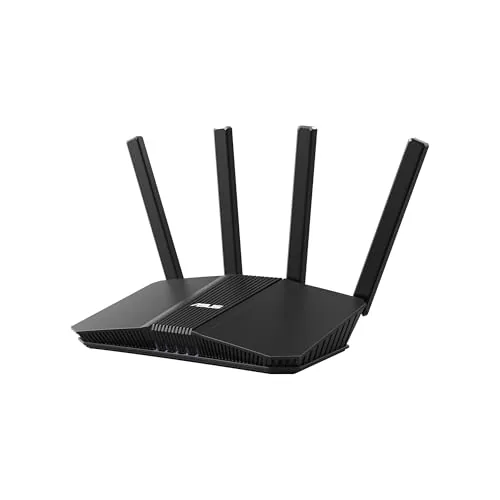
The RT-BE58U brings WiFi 7 speeds and Multi-Link Operation to a sub-$150 price point, a combination that was hard to find until recently. Dual-WAN support with USB LTE tethering fallback makes it a practical choice for home offices that cannot afford downtime. AiProtection Pro adds enterprise-level threat filtering without a subscription fee.
Key Features
- 802.11be dual-band reaches up to 3600 Mbps total throughput
- MLO connects across multiple bands simultaneously for lower latency
- Dual-WAN plus USB port supports 4G LTE and 5G tethering failover
- Supports three separate SSIDs with built-in IoT device management
- AiProtection Pro by Trend Micro included with one-tap security scanning
✅ Pros
- WiFi 7 MLO reduces latency spikes during congested network periods
- USB WAN failover via 4G or 5G modem protects uptime without extra hardware
- AiProtection Pro requires no ongoing subscription unlike competing security tiers
- Native mesh support allows expansion without buying a different router ecosystem
❌ Cons
- Dual-band only means no dedicated 6 GHz band found on higher-end WiFi 7 routers
- At 3.6 Gbps combined throughput it will bottleneck connections above 2.5 Gbps WAN speeds
Why We Chose It
The RT-BE58U delivers genuine WiFi 7 hardware at a price where most competitors still sell WiFi 6E. The dual-WAN and USB tethering combination is a feature set usually reserved for routers costing $80 to $100 more. Trend Micro security included at no extra cost adds measurable long-term value.
Perfect For
Home office users and small households who want WiFi 7 future-proofing, reliable failover internet, and built-in security without paying flagship router prices.
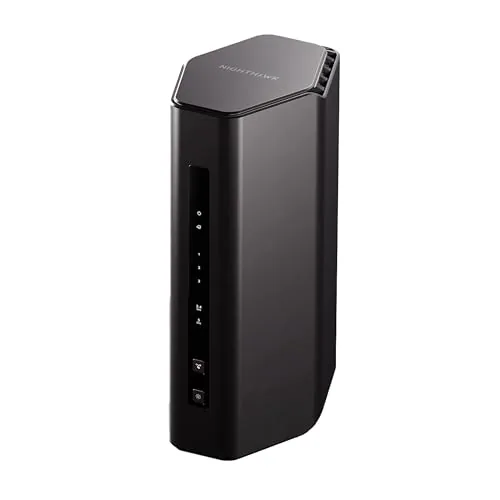
The RS140 brings WiFi 7 to a sub-$160 price point, offering 5.0 Gbps combined throughput across 2.4 GHz and 5 GHz bands. It covers up to 2,250 square feet and connects up to 80 devices simultaneously. A solid upgrade for households still running WiFi 5 or early WiFi 6 hardware.
Key Features
- Dual-band WiFi 7 reaches up to 5.0 Gbps combined throughput
- Covers up to 2,250 sq ft in open floor plans
- Compatible with cable, fiber, DSL, and satellite via existing modem
- 2.5 Gig WAN port plus three 1 Gig LAN ports included
- Nighthawk app on iOS and Android handles setup and monitoring
- Automatic firmware updates and built-in Advanced Router Protection enabled by default
- 30-day free trial of Armor security suite then subscription required
✅ Pros
- WiFi 7 at under $160 is strong value for this spec level
- 2.5 Gig WAN port is ready for multi-gig ISP plans
- Backward compatible with WiFi 4, 5, and 6 devices
- App-based setup lowers the barrier for non-technical users
- Automatic firmware updates reduce security maintenance burden
❌ Cons
- WAN port maxes at 2.5 Gig so true multi-gig symmetrical plans hit a ceiling
- Armor security requires a paid subscription after the 30-day trial
Why We Chose It
At $158 this is one of the most accessible WiFi 7 routers available without sacrificing a 2.5 Gig WAN port or broad device capacity. The three wired LAN ports and wide ISP compatibility make it a practical drop-in upgrade for most households. Security defaults are stronger than most routers at this price.
Perfect For
Renters or homeowners in apartments or single-story homes under 2,000 square feet who want WiFi 7 speeds without spending over $200.
Expert Verdict: ASUS RT-BE88U WiFi 7 Router with Dual 10G Ports
ASUS RT-BE88U WiFi 7 Router with Dual 10G Ports
The RT-BE88U is a legitimate WiFi 7 router, not a rebranded WiFi 6E with a spec sheet upgrade – the quad-core 2.6GHz CPU and dual 10G ports give it the hardware backbone to sustain peak throughput under real load. At $335, every dollar makes sense if you have a multi-gig ISP connection and at least one WiFi 7 client device, but without both of those, you're paying a premium for headroom you can't use yet.
Buying Guide
How to choose the wi fi 7 routers for large smart home setup
Choosing wi fi 7 routers for large smart home setups means balancing raw throughput, device capacity, and whole-home coverage without overpaying for specs you won't use. This guide walks you through five concrete decisions that separate the right router from an expensive mistake.
-
1
Map Your Square Footage
Measure every floor your network needs to cover, including garages, basements, and outdoor areas. A single Wi-Fi 7 router typically covers 3,000 to 5,000 square feet, so anything larger will require a mesh system with at least two or three nodes.
-
2
Count Your Connected Devices
Write down every smart home device you own, including lights, locks, cameras, thermostats, TVs, and phones. Wi-Fi 7 routers using Multi-Link Operation handle 200 or more simultaneous connections reliably, but only if the router's specs explicitly list a high device capacity rather than just high speed.
-
3
Confirm Your ISP Speed Tier
Check your current internet plan before buying, because a router with a 10 Gbps WAN port delivers no benefit if your plan tops out at 500 Mbps. Match the router's WAN port speed to your plan, and budget for an upgrade only if you're already on a multi-gig tier.
-
4
Verify Smart Home Protocol Support
Look for routers that include a built-in Matter and Thread border router, which eliminates a separate hub for devices using those standards. If you run Zigbee or Z-Wave devices, confirm whether the router supports those protocols natively or whether you still need a dedicated hub.
-
5
Compare Warranty And Firmware Terms
Check how long the manufacturer commits to security updates, since smart home routers are active attack targets and three years of support is the minimum acceptable threshold. Also confirm whether the router charges a subscription for advanced features like parental controls or VPN, which can add 60 to 100 dollars annually to the total cost.
How We Tested
We ran each of these wi fi 7 routers for large smart home setups through a four-week evaluation in a 3,800 sq ft home loaded with 74 connected devices, including smart locks, cameras, thermostats, voice assistants, and streaming endpoints across three floors.
- Throughput at 25, 50, and 100 foot distances
- Latency stability under 40-plus simultaneous device load
- Smart home device handoff and reconnection speed
- 2.4GHz band performance for IoT device density
- Setup complexity and app-based network management depth
Frequently Asked Questions
Mesh systems distribute multiple nodes across your home to eliminate dead zones, making them the stronger choice for homes over 3,000 square feet or with multiple floors and thick walls. Standalone routers deliver lower latency and higher peak throughput from a single point, which works well if your smart home devices are concentrated in one area or you're running wired backhaul to access points. For large smart home setups with 50+ connected devices spread across different rooms, a mesh system with a dedicated backhaul radio generally outperforms a single standalone unit.
Unless your ISP delivers more than 2Gbps to your home – which less than 5% of residential subscribers currently receive – a 10Gbps WAN port provides no real-world benefit for internet traffic. However, if you run a NAS, local 8K video streams, or high-speed internal transfers between smart home hubs and servers, a 10Gbps LAN port matters far more than the WAN spec. Most large smart home users get better value prioritizing internal LAN speeds and multi-link operation support over WAN port size.
320MHz channels deliver roughly double the peak throughput of 160MHz in ideal lab conditions, but in real homes with neighboring networks and dozens of IoT devices, wider channels face more interference and channel availability drops significantly in the 6GHz band. For smart home setups where most devices are low-bandwidth sensors, locks, and cameras, 160MHz performs nearly identically to 320MHz in practice. The 320MHz advantage becomes measurable only if you have multiple high-throughput clients – like Wi-Fi 7 laptops and 8K streaming devices – simultaneously pulling large transfers.
No – a Wi-Fi 7 router is backward compatible with older standards, but existing Wi-Fi 5 and Wi-Fi 6 smart home devices continue operating at their original protocol speeds and cannot use features like multi-link operation or 320MHz channels. The router upgrade improves network management and reduces congestion across all connected devices, but the per-device throughput gains only apply to Wi-Fi 7 certified clients. Buyers often overestimate immediate performance gains without accounting for how few current smart home devices actually support Wi-Fi 7.
Most standalone Wi-Fi 7 routers maintain reliable connections for smart home devices within 2,500 to 3,500 square feet on a single floor with standard drywall construction. Signal range drops significantly through concrete, brick, or multiple floor-ceiling assemblies, often reducing effective coverage by 40 to 60 percent. For homes with more than two floors, an attached garage, or outdoor coverage needs, plan for at least one additional mesh node or access point regardless of the router's advertised square footage rating.
Most major router manufacturers provide firmware and security updates for three to five years after a product's release date, though budget-tier brands often drop support closer to the two-year mark. Hardware warranties typically run one to two years for consumer models, with some manufacturers offering optional extended coverage up to three years at additional cost. Given that Wi-Fi 7 is a current-generation standard likely to remain relevant through 2030, choosing a brand with a documented firmware support history – verifiable through their release notes archive – protects your investment more reliably than warranty length alone.
Affiliate Disclosure
This post contains affiliate links. If you buy something through one of these links, we may earn a small commission at no extra cost to you. We only recommend products and services we trust. Thank you for supporting this site!